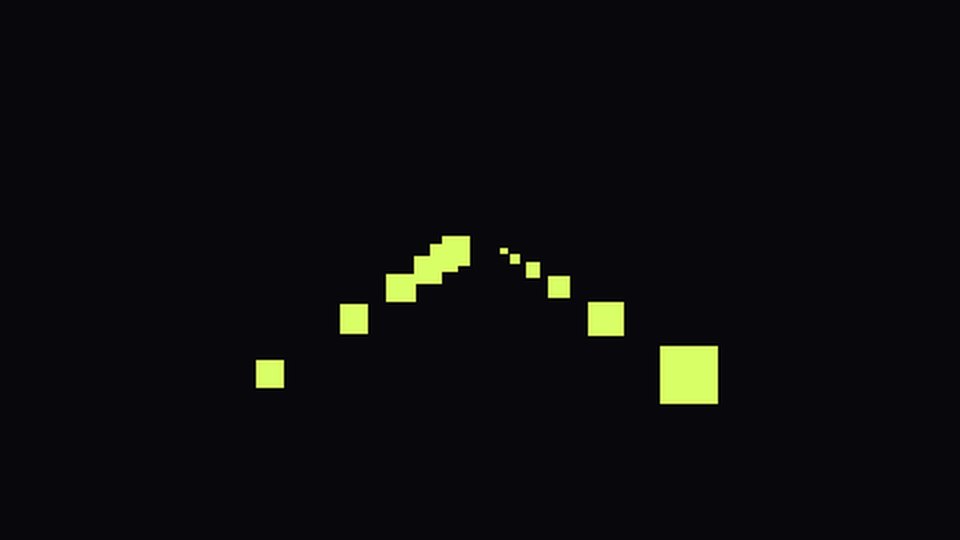
Turn on fixed_size in the StandardMaterial3D of the particle mesh. In our Godot 4.7 test with the Compatibility renderer, a particle with fixed_size was 8 pixels wide at 3, 6, 12 and 24 m from the camera. Without it, a particle shrank from 24 pixels at 3 m to 2 pixels at 24 m. With fixed_size on, the QuadMesh size no longer means meters: 0.02 gave 8 pixels in our 960x540 window.
The code
Attach this to a GPUParticles3D for fireflies over a field. fixed_size = true is the fix. Choose the quad size by what you see on screen, not in meters.
extends GPUParticles3D
## Fireflies that are the same size on screen near and far, so the far ones do not shrink away.
## fixed_size in the particle material keeps every quad at one screen size, whatever its distance.


func _ready() -> void:
	amount = 60
	lifetime = 4.0
	preprocess = 4.0  # the fireflies are already out on the first frame
	visibility_aabb = AABB(Vector3(-8, -3, -8), Vector3(16, 6, 16))
	var m := ParticleProcessMaterial.new()
	m.emission_shape = ParticleProcessMaterial.EMISSION_SHAPE_BOX
	m.emission_box_extents = Vector3(6, 1, 6)
	m.direction = Vector3.UP
	m.spread = 180.0
	m.initial_velocity_min = 0.1
	m.initial_velocity_max = 0.3
	m.gravity = Vector3.ZERO
	process_material = m
	var mat := StandardMaterial3D.new()
	mat.shading_mode = BaseMaterial3D.SHADING_MODE_UNSHADED
	mat.billboard_mode = BaseMaterial3D.BILLBOARD_PARTICLES
	mat.fixed_size = true  # the fix: the size no longer shrinks with distance
	mat.albedo_color = Color(0.85, 1.0, 0.4)
	var q := QuadMesh.new()
	q.size = Vector2(0.02, 0.02)  # with fixed_size, 0.02 was 8 pixels in a 960x540 window
	q.material = mat
	draw_pass_1 = q
What we measured
One still particle, placed 3, 6, 12 and 24 m from the camera, in a 960x540 window with the default field of view. We measured how wide it was on screen. Two runs gave the same numbers.
- The script, fixed_size on, quad size 0.02: 8 pixels at every distance.
- fixed_size off, quad size 0.2: 24, 12, 6 and 2 pixels.
In an earlier run, a quad size of 0.05 with fixed_size on gave 18 pixels at every distance.
When to leave it off
With fixed_size, distance no longer shows in the size, so a far spark looks as big as a near one. Smoke, fire and effects that should feel part of the world usually look better without it. It suits fireflies, stars, markers and pixel-art dots.
What to change
- The
QuadMeshsize: the size on screen. amountandemission_box_extents: how many fireflies and over how much ground.albedo_color: their color.
Pixel-art particles that look soft: pixel art particles look blurry. Particles that glow: glowing particles.
Tested in Godot 4.7 with the Compatibility renderer.
More how-tos: When particles do not show up
- GPUParticles3D not showing in Godot 4
- GPUParticles2D not showing in Godot 4
- GPUParticles2D collision: fall through or vanish
- Particles look black or dark
- Particles only fall down or fly sideways
- Particles not working in a web export
- Particles fall through the floor
- Particles on terrain and uneven ground
- Flipbook animation on GPUParticles3D
- GPUParticles2D sprite sheet not animating
- Pixel art particles look blurry
- Particle trails in the Compatibility renderer
- GPUParticles2D trails not working
- Particle color over lifetime not working
- Particle texture shows a square box
- Custom particle shader ignores the color ramp
- Particle scale curve not working
- Additive particles invisible on a white background
- Scale a 3D particle effect evenly