Give it a texture first: without one, the particles were almost invisible. Then check emitting, the process material, visibility_rect when the emitter sits off screen, and whether something drawn later covers it.
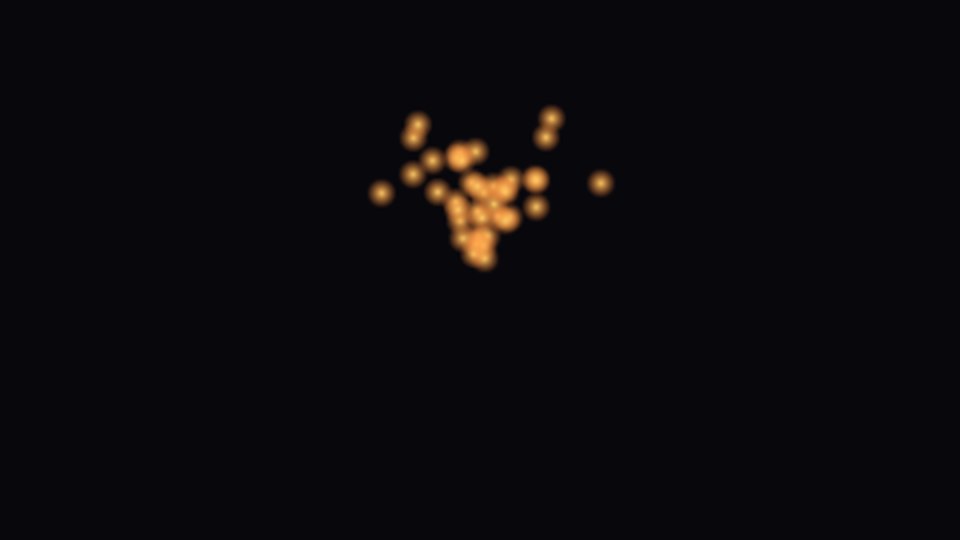
Start from a script that works
Put this on a Node2D in a new scene and run it. If you see the dots, your project is fine and the problem is in the settings of your effect.
Working in 3D? See GPUParticles3D not showing.
extends Node2D
## The smallest 2D effect that always shows: attach to a Node2D and run.

func _ready() -> void:
	var fx := GPUParticles2D.new()
	fx.position = get_viewport_rect().size / 2.0
	fx.amount = 40
	fx.lifetime = 1.2
	fx.texture = _make_dot()

	var p := ParticleProcessMaterial.new()
	p.direction = Vector3(0, -1, 0)  # up on screen: in 2D, +Y points down
	p.spread = 30.0
	p.initial_velocity_min = 80.0  # 2D speeds are in pixels per second
	p.initial_velocity_max = 140.0
	p.gravity = Vector3(0, 98, 0)
	fx.process_material = p
	add_child(fx)


func _make_dot() -> Texture2D:
	var g := Gradient.new()
	g.colors = PackedColorArray([Color(1.0, 0.8, 0.4, 1.0), Color(1.0, 0.5, 0.2, 0.0)])
	var t := GradientTexture2D.new()
	t.gradient = g
	t.width = 16
	t.height = 16
	t.fill = GradientTexture2D.FILL_RADIAL
	t.fill_from = Vector2(0.5, 0.5)
	t.fill_to = Vector2(1.0, 0.5)
	return t
No texture
With texture empty, the frame was almost empty: 8 lit sample points, against more than 600 with the 16 pixel dot from the script. The particles were there, just tiny. Set Texture in the inspector.
No process material
Without one, the particles did not move. They stayed at the position of the node, which looks like one small spot. In the inspector, set Process Material to a new ParticleProcessMaterial.
Emitting is off
With emitting off, nothing was drawn.
The emitter is off screen
visibility_rect is the rectangle Godot uses to decide if the effect is on screen, and it is measured from the emitter. The default is 200 by 200 pixels. We put the emitter 150 pixels left of the screen and shot the particles into view. With the default rectangle, nothing was drawn, even with particles flying across the screen. With a rectangle that covered their path, they showed: fx.visibility_rect = Rect2(-50, -100, 1300, 200).
Something is drawn on top
We added a dark ColorRect to the scene after the particles, as a background. It was drawn over them and hid every particle. Setting z_index of the particles to 1 brought them back.
Tested in Godot 4.7 with the Compatibility renderer.
Ready-made: HD VFX Sprite Sheets Vol 1 has 106 animated effects as transparent PNG sprite sheets for 2D engines, Godot 2D included.
Want ready-made effects? Try the free Arcane VFX pack or the VFX Collection for Godot 4.