With the material's Billboard Mode on Particle Billboard, a particle turns by its angle but keeps the quad's full size: the scale curve and the scale range are ignored. Turn on billboard_keep_scale (Billboard, Keep Scale in the Inspector). With Billboard Mode on Enabled and Keep Scale on, the size works but the angle does not.
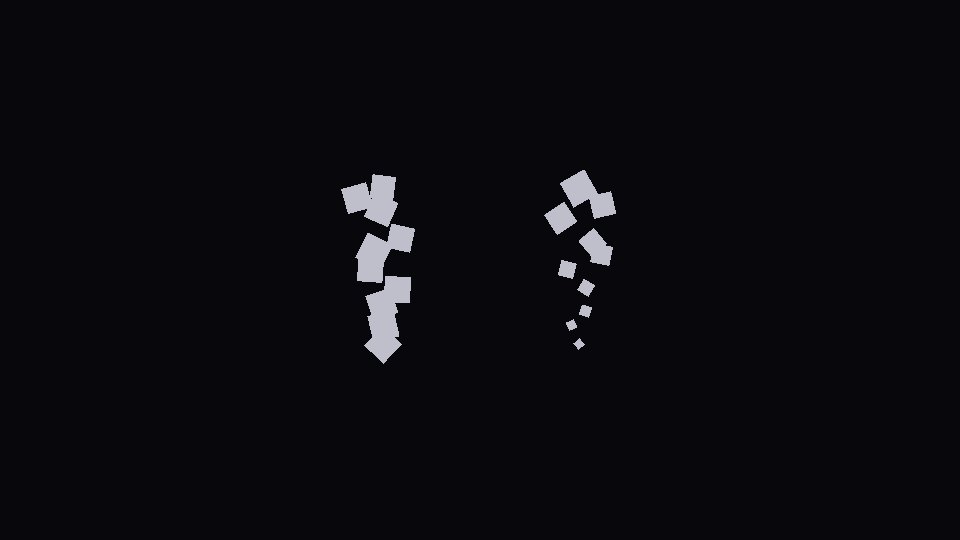
The code
Attach this to a GPUParticles3D for puffs that grow and turn as they rise. The two billboard lines in the material are what makes both show.
extends GPUParticles3D
## Smoke puffs that grow and turn as they rise.
## The scale curve needs Billboard Keep Scale on, the angle needs Particle Billboard.


func _ready() -> void:
	amount = 16
	lifetime = 2.0
	var m := ParticleProcessMaterial.new()
	m.direction = Vector3.UP
	m.spread = 15.0
	m.initial_velocity_min = 0.6
	m.initial_velocity_max = 0.9
	m.gravity = Vector3.ZERO
	var grow := Curve.new()  # 0.3 of the quad size at birth, full size at the end
	grow.add_point(Vector2(0.0, 0.3))
	grow.add_point(Vector2(1.0, 1.0))
	var gt := CurveTexture.new()
	gt.curve = grow
	m.scale_curve = gt
	m.angle_min = -180.0
	m.angle_max = 180.0
	m.angular_velocity_min = -40.0
	m.angular_velocity_max = 40.0
	process_material = m
	var mat := StandardMaterial3D.new()
	mat.shading_mode = BaseMaterial3D.SHADING_MODE_UNSHADED
	mat.billboard_mode = BaseMaterial3D.BILLBOARD_PARTICLES  # turns the quad by the particle's angle
	mat.billboard_keep_scale = true  # without this, the scale curve is ignored
	mat.albedo_color = Color(0.75, 0.75, 0.8)
	var q := QuadMesh.new()
	q.size = Vector2(0.8, 0.8)
	q.material = mat
	draw_pass_1 = q
What we measured
We let out one particle that does not move or spin, set to an angle of 45 degrees, with a scale curve from 0.3 to 1. We measured the box around its lit pixels 0.1 and 1.8 seconds into its 2 second life, over two runs. A square turned by 45 degrees has a box about 1.4 times wider than the square.
- The script (Particle Billboard, Keep Scale on): 30 pixels at 0.1 seconds, 84 to 96 at 1.8. It grew, and turned.
- Particle Billboard, Keep Scale off: 98 pixels at both times. Turned, but full size from the start.
- Billboard Enabled, Keep Scale on: 22 pixels, then 64 to 70. It grew, but did not turn.
- Billboard Disabled: 22, then 68 to 70. It grew and did not turn.
What to change
- The points of the scale curve: how small the puffs start and how big they end, as a share of the quad size.
angle_minandangle_max: the starting angle.angular_velocity_minandangular_velocity_max: how fast they turn, in degrees per second.
Color over the life of a particle has its own setting: particle color ramp not working. Smoke from a fire: fire and smoke with two emitters.
Tested in Godot 4.7 with the Compatibility renderer.
More how-tos: When particles do not show up
- GPUParticles3D not showing in Godot 4
- GPUParticles2D not showing in Godot 4
- GPUParticles2D collision: fall through or vanish
- Particles look black or dark
- Particles only fall down or fly sideways
- Particles not working in a web export
- Particles fall through the floor
- Particles on terrain and uneven ground
- Flipbook animation on GPUParticles3D
- GPUParticles2D sprite sheet not animating
- Pixel art particles look blurry
- Particle trails in the Compatibility renderer
- GPUParticles2D trails not working
- Particle color over lifetime not working
- Particle texture shows a square box
- Custom particle shader ignores the color ramp
- Additive particles invisible on a white background
- Scale a 3D particle effect evenly
- Particles the same size on screen at any distance