GPU particles do not collide with StaticBody3D or any other physics body. Add a GPUParticlesCollisionBox3D (or another GPUParticlesCollision node) where the floor is, and set collision_mode on the process material to Rigid, because it is off by default.
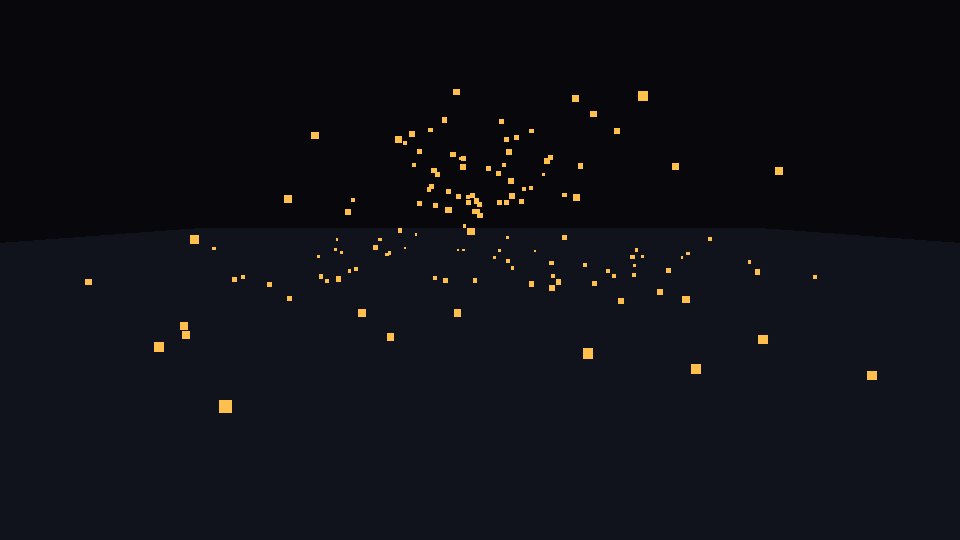
The code
Put this on a Node3D. It makes its own collision box for a floor at height 0, and a burst of sparks above it.
extends Node3D
## Sparks that land and bounce on the floor. Particles do not hit physics bodies:
## the floor needs its own GPUParticlesCollisionBox3D.

func _ready() -> void:
	var floor_box := GPUParticlesCollisionBox3D.new()
	floor_box.size = Vector3(20, 1, 20)
	floor_box.position = Vector3(0, -0.5, 0)  # top face at y = 0
	add_child(floor_box)

	var p := ParticleProcessMaterial.new()
	p.direction = Vector3.UP
	p.spread = 50.0
	p.initial_velocity_min = 3.0
	p.initial_velocity_max = 6.0
	p.gravity = Vector3(0, -9.8, 0)
	p.collision_mode = ParticleProcessMaterial.COLLISION_RIGID  # off by default
	p.collision_bounce = 0.4
	p.collision_friction = 0.3

	var mat := StandardMaterial3D.new()
	mat.shading_mode = BaseMaterial3D.SHADING_MODE_UNSHADED
	mat.billboard_mode = BaseMaterial3D.BILLBOARD_PARTICLES
	mat.albedo_color = Color(1.0, 0.75, 0.3)
	var quad := QuadMesh.new()
	quad.size = Vector2(0.06, 0.06)
	quad.material = mat

	var fx := GPUParticles3D.new()
	fx.position = Vector3(0, 1.0, 0)
	fx.amount = 200
	fx.lifetime = 2.5
	fx.collision_base_size = 0.03  # the size of each spark when it hits something
	fx.process_material = p
	fx.draw_pass_1 = quad
	add_child(fx)
A physics floor is not enough
We swapped the collision box for a StaticBody3D floor with a CollisionShape3D. The sparks fell through it, about as many as with no collision at all. Particles only react to GPUParticlesCollision nodes: box, sphere, SDF and height field.
Collision Mode is off by default
With the collision box in place but collision_mode left at Disabled, the sparks fell through the floor too. In our test frame, 168 lit sample points were below the floor line. With Rigid, that dropped to 26 and most sparks landed on the floor.
What to change
collision_bounce: how much speed a spark keeps when it bounces. 0 means it does not bounce.collision_friction: how fast sparks stop sliding along the floor.sizeof the collision box: it must cover the area where sparks land.
Tested in Godot 4.7 with the Compatibility renderer.
Want ready-made effects? Try the free Arcane VFX pack or the VFX Collection for Godot 4.