Snow uses a small gravity, so it is easy to cancel. damping takes speed away from every particle all the time: set it higher than the gravity and the flakes stop and hang in the air. A high turbulence_influence does the same, because the noise takes over the motion. Keep damping at 0 and turbulence influence under about 0.05.
The code
Add this script to a new GPUParticles3D a few meters above the ground. It sets up the whole emitter, flake texture included.
extends GPUParticles3D
## Snow that actually falls: slow gravity, a little drift, and nothing that cancels the fall.

@export var area := Vector3(10, 0.5, 10)  # where flakes start, around this node

func _ready() -> void:
	amount = 600
	lifetime = 7.0
	preprocess = 7.0  # start with the air already full of snow
	visibility_aabb = AABB(Vector3(-area.x / 2 - 2, -12, -area.z / 2 - 2), Vector3(area.x + 4, 13, area.z + 4))
	var p := ParticleProcessMaterial.new()
	p.emission_shape = ParticleProcessMaterial.EMISSION_SHAPE_BOX
	p.emission_box_extents = area / 2
	p.direction = Vector3(0, -1, 0)
	p.spread = 15.0
	p.initial_velocity_min = 0.6
	p.initial_velocity_max = 1.0
	p.gravity = Vector3(0, -0.6, 0)  # slow, but still down
	p.turbulence_enabled = true  # the drift
	p.turbulence_noise_strength = 1.0
	p.turbulence_influence_min = 0.02  # keep it small: high influence swaps the fall for the noise
	p.turbulence_influence_max = 0.05
	process_material = p
	var g := Gradient.new()  # a soft round flake
	g.colors = PackedColorArray([Color(1, 1, 1, 1), Color(1, 1, 1, 0)])
	var t := GradientTexture2D.new()
	t.gradient = g
	t.fill = GradientTexture2D.FILL_RADIAL
	t.fill_from = Vector2(0.5, 0.5)
	t.fill_to = Vector2(1.0, 0.5)
	var m := StandardMaterial3D.new()
	m.shading_mode = BaseMaterial3D.SHADING_MODE_UNSHADED
	m.transparency = BaseMaterial3D.TRANSPARENCY_ALPHA
	m.billboard_mode = BaseMaterial3D.BILLBOARD_PARTICLES
	m.albedo_texture = t
	var q := QuadMesh.new()
	q.size = Vector2(0.08, 0.08)
	q.material = m
	draw_pass_1 = q
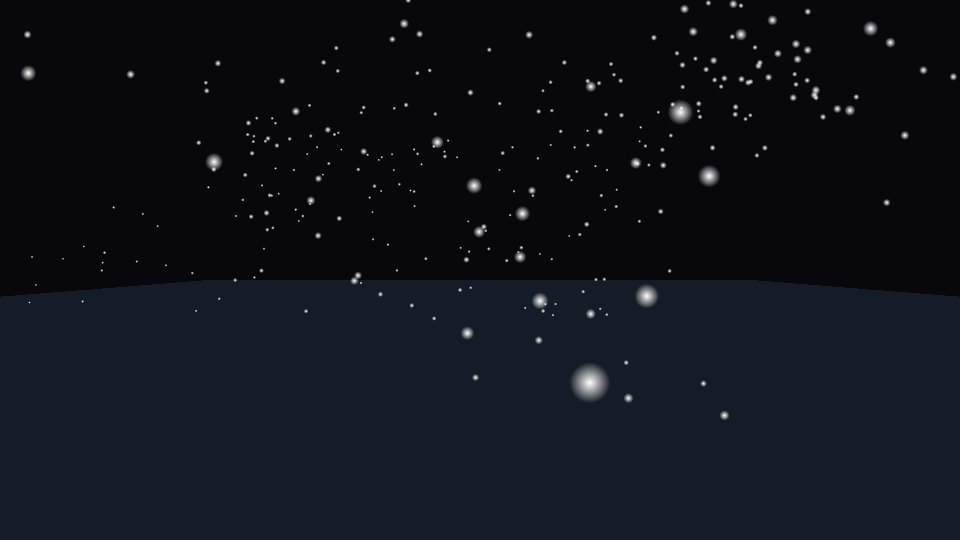
We put it 5 meters up with the camera looking at the space below and counted the flakes on screen. Four seconds after the start, 39% to 48% of them were already in the lower half, across three runs.
Damping stops the fall
The script uses a gravity of 0.6. With damping set to 1, the same test had 0% of the flakes in the lower half after four seconds, and the same with damping 3. None of them made it down. If you want slower snow, lower the gravity and the start speed instead.
Turbulence takes over
Turbulence makes the drift, but its influence replaces part of the motion. With turbulence_influence at 0.2 or 0.5, at most 1% of the flakes reached the lower half. The script keeps it between 0.02 and 0.05, and the snow still fell: 46% to 51% of the flakes were in the lower half with turbulence off, close to the script's numbers.
Empty sky at the start
Without preprocess, the first flakes are still at the top when the scene opens. 0.3 seconds after the start we found none in the lower half. With preprocess at 7 seconds, the same as the lifetime, 34% to 39% were already there.
What to change
area: how wide the snowfall is. Move the node with the camera if the player walks far, as on the rain page.amount: more flakes for a storm.gravityand the start speed: how fast it falls.
Flakes that should land on hills instead of falling through them: particles on terrain and uneven ground.
Tested in Godot 4.7 with the Compatibility renderer.
Ready-made: Winter & Christmas VFX for Godot 4 has ready snowfall, snow globes, aurora skies and frost on the screen.
More how-tos: Auras, rings, beams and weather
- God rays without volumetric fog
- Magic aura particles that circle a character
- Charge-up particles that fly in to the middle
- Particle ring standing up instead of flat
- 2D particles from a sprite's shape
- A glowing circle on the ground
- A loot beam that never goes flat
- Chain lightning between enemies
- A tower's attack range ring
- Rain that follows the camera
- Rain falling through the roof
- orbit_velocity not working in 3D: use tangential_accel
- Rain falls through the player
- Snow that stays on roofs
- Emit particles along a Path3D