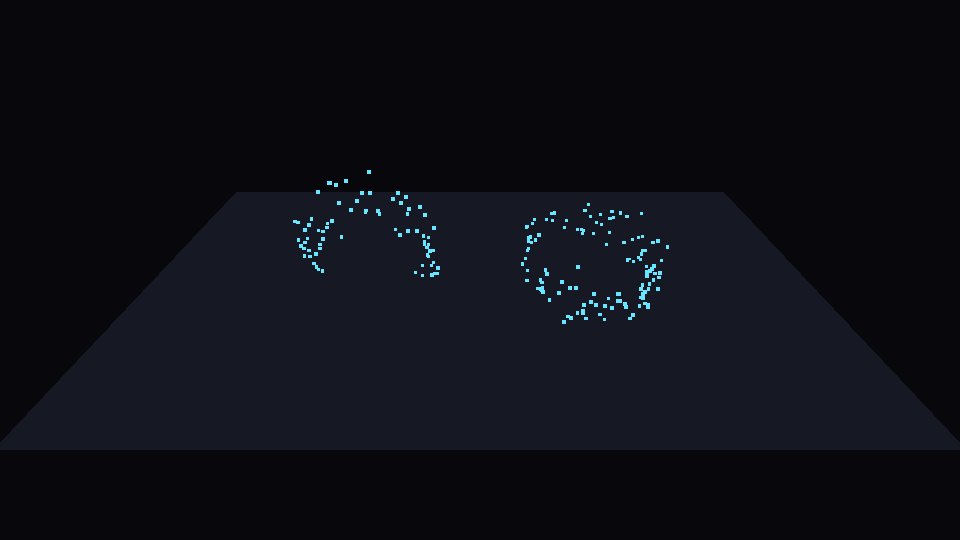
With Emission Shape set to Ring, particles start on a ring around emission_ring_axis, which is (0, 0, 1) by default. That ring stands up like a wheel, so half of it ends up under the floor. Set emission_ring_axis to Vector3.UP for a flat ring around a character. emission_ring_inner_radius sets how thin the ring is: 0 fills the whole disc.
The code
Attach this to a GPUParticles3D at a character's feet for sparks that rise from a ring on the ground. The emission_ring_axis line is the fix.
extends GPUParticles3D
## Sparks that rise from a flat ring on the ground around a character.
## The ring axis is Z by default, which stands the ring up like a wheel.


func _ready() -> void:
	amount = 120
	lifetime = 1.2
	var m := ParticleProcessMaterial.new()
	m.emission_shape = ParticleProcessMaterial.EMISSION_SHAPE_RING
	m.emission_ring_axis = Vector3.UP  # the fix: lay the ring flat on the ground
	m.emission_ring_radius = 1.2
	m.emission_ring_inner_radius = 1.0  # 0 fills the whole disc
	m.emission_ring_height = 0.05
	m.direction = Vector3.UP
	m.spread = 5.0
	m.initial_velocity_min = 0.6
	m.initial_velocity_max = 1.0
	m.gravity = Vector3.ZERO
	process_material = m
	var mat := StandardMaterial3D.new()
	mat.shading_mode = BaseMaterial3D.SHADING_MODE_UNSHADED
	mat.billboard_mode = BaseMaterial3D.BILLBOARD_PARTICLES
	mat.albedo_color = Color(0.4, 0.9, 1.0)
	var q := QuadMesh.new()
	q.size = Vector2(0.06, 0.06)
	q.material = mat
	draw_pass_1 = q
What we measured
We stopped the particles from moving, looked straight down with an orthographic camera, and measured the box around the lit pixels and how far they were from the middle, in meters. The numbers include the size of each dot, 6 cm. Three runs gave the same picture.
- The script: a box 2.33 to 2.41 by 2.40 to 2.42 meters, every particle 0.96 to 1.24 meters from the middle. A flat ring from 1.0 to 1.2 meters out.
- Ring Axis at its default: 2.33 to 2.42 by 0.10 meters seen from above, a line. Seen from the front, the same ring was 2.39 to 2.44 by 2.39 meters, 0.96 to 1.24 from the middle: it was standing up.
- Inner radius 0: 2.27 to 2.37 meters on each side, with particles as close as 0.02 to 0.10 meters to the middle. A full disc.
What to change
emission_ring_radiusandemission_ring_inner_radius: the outer and inner edge of the ring, in meters.emission_ring_height: how thick the ring is along its axis.initial_velocity_min,initial_velocity_maxandlifetime: how high the sparks rise.
A glowing circle under a character instead of particles: ground circle under a character. Particles swirling around a character: magic aura particles.
Tested in Godot 4.7 with the Compatibility renderer.
More how-tos: Auras, rings, beams and weather
- God rays without volumetric fog
- Magic aura particles that circle a character
- Charge-up particles that fly in to the middle
- 2D particles from a sprite's shape
- A glowing circle on the ground
- A loot beam that never goes flat
- Chain lightning between enemies
- A tower's attack range ring
- Rain that follows the camera
- Rain falling through the roof
- Snow particles not falling
- orbit_velocity not working in 3D: use tangential_accel
- Rain falls through the player
- Snow that stays on roofs
- Emit particles along a Path3D