Emit from a ring around the character's feet, turn local_coords on so the aura walks with the character, and rotate the GPUParticles3D node itself to make the sparks circle. In our Godot 4.7 test, orbit_velocity did not move the particles of a GPUParticles3D at all.
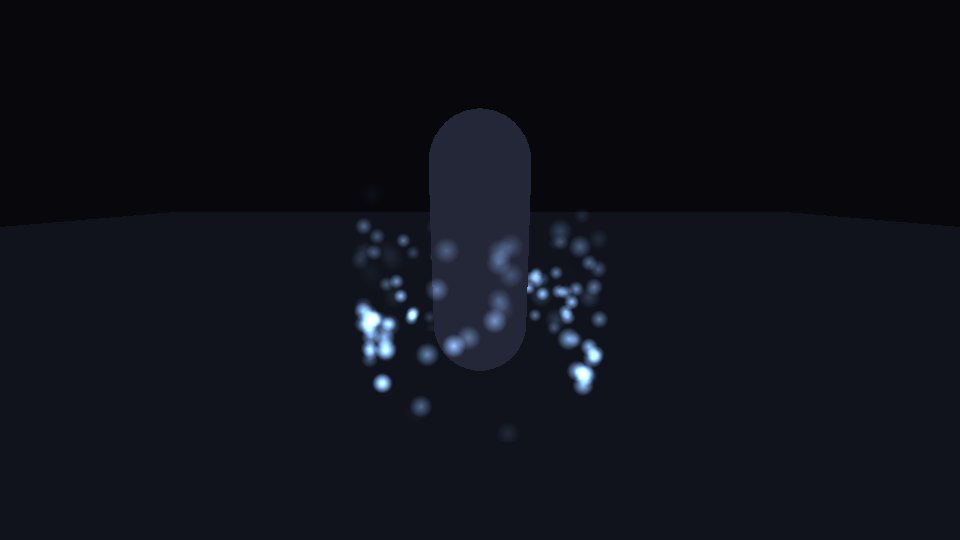
The code
Add this as a child of your character, at the feet. It needs no texture files.
extends GPUParticles3D
## A magic aura: sparks that circle a character and rise. Add it as a child of the character.

@export var radius := 0.8
@export var turns_per_second := 0.25
@export var color := Color(0.55, 0.75, 1.0)

func _ready() -> void:
	amount = 120
	lifetime = 2.0
	preprocess = 2.0
	local_coords = true  # the aura moves with the character instead of trailing behind
	process_material = _make_process()
	draw_pass_1 = _make_spark()


func _process(delta: float) -> void:
	rotate_y(TAU * turns_per_second * delta)  # with local_coords on, every spark circles with the node


func _make_process() -> ParticleProcessMaterial:
	var p := ParticleProcessMaterial.new()
	p.emission_shape = ParticleProcessMaterial.EMISSION_SHAPE_RING
	p.emission_ring_axis = Vector3.UP
	p.emission_ring_radius = radius
	p.emission_ring_inner_radius = radius * 0.9
	p.emission_ring_height = 0.1
	p.direction = Vector3.UP
	p.spread = 0.0
	p.initial_velocity_min = 0.3
	p.initial_velocity_max = 0.7
	p.gravity = Vector3.ZERO
	var g := Gradient.new()
	g.colors = PackedColorArray([Color(1, 1, 1, 0), Color(1, 1, 1, 1), Color(1, 1, 1, 0)])
	g.offsets = PackedFloat32Array([0.0, 0.2, 1.0])
	var ramp := GradientTexture1D.new()
	ramp.gradient = g
	p.color_ramp = ramp  # fade in, then out
	return p


func _make_spark() -> QuadMesh:
	var g := Gradient.new()
	g.colors = PackedColorArray([Color(1, 1, 1, 1), Color(1, 1, 1, 0)])
	var soft := GradientTexture2D.new()
	soft.gradient = g
	soft.fill = GradientTexture2D.FILL_RADIAL
	soft.fill_from = Vector2(0.5, 0.5)
	soft.fill_to = Vector2(1.0, 0.5)
	var mat := StandardMaterial3D.new()
	mat.shading_mode = BaseMaterial3D.SHADING_MODE_UNSHADED
	mat.transparency = BaseMaterial3D.TRANSPARENCY_ALPHA
	mat.blend_mode = BaseMaterial3D.BLEND_MODE_ADD
	mat.billboard_mode = BaseMaterial3D.BILLBOARD_PARTICLES
	mat.vertex_color_use_as_albedo = true
	mat.albedo_color = color
	mat.albedo_texture = soft
	var q := QuadMesh.new()
	q.size = Vector2(0.12, 0.12)
	q.material = mat
	return q
Spin the node, not orbit_velocity
We watched one spark from above. With turns_per_second at 0.25 the node turned it about 85 degrees per second over several runs, close to the 90 that a quarter turn per second means. With orbit_velocity set to 0.25 in the process material instead, the spark did not move around the center at all, with or without upward speed.
Spinning works because local_coords is on, so every spark already in the air turns with the node. With it off, the same spinning node left the spark in place.
Local Coords on, or the aura stays behind
We moved the character 6 units in 1 second. With local_coords on, the middle of the aura stayed within 5 pixels of the character on screen. With it off, the sparks stayed where they were born and the middle of the aura ended up about 180 pixels behind. Off is right for a trail, and for rain that follows the camera. For an aura, turn it on.
What to change
radius: how far the ring sits from the body.turns_per_second: how fast the sparks circle.initial_velocity_minandinitial_velocity_max: how high the sparks rise before they fade.color: the spark color. Additive blending only adds light, so the sparks show best on darker backgrounds.
Tested in Godot 4.7 with the Compatibility renderer.
Ready-made: Character Aura Kit for Godot 4 emits auras from a rigged character's own skin and follows the animation: power-up, fire, ice, poison, lightning, dissolve.
Want ready-made effects? Try the free Arcane VFX pack or the VFX Collection for Godot 4.