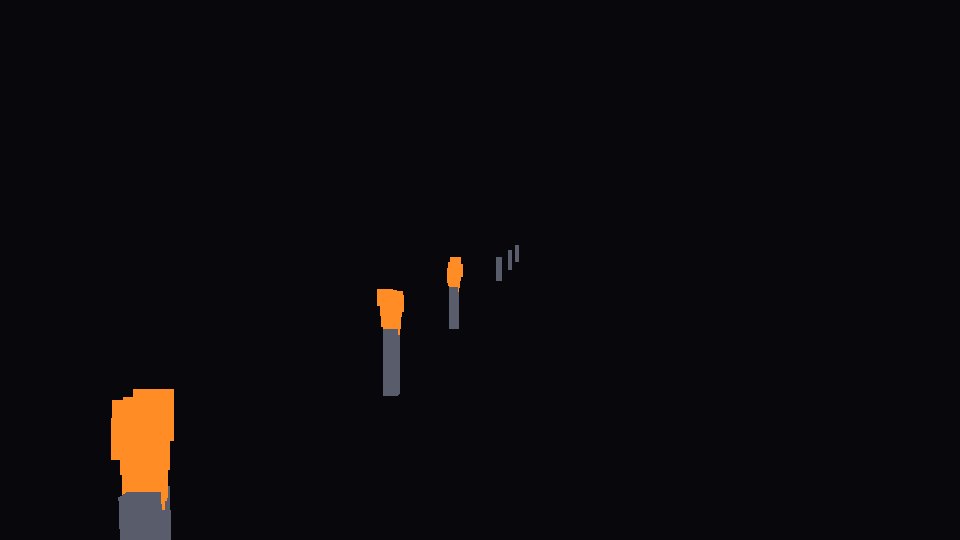
GPUParticles3D is a GeometryInstance3D, so it has visibility_range_end: past that distance from the camera it is not drawn. Set visibility_range_end_margin too. In our test, with an end of 30 m and a margin of 4 m, a torch went away past 34 m when the camera moved off and came back only inside 26 m, so a player standing near 30 m does not see it blink.
The code
Attach this to a GPUParticles3D for a looping torch flame. Put one on every torch in a level and only the ones near the camera are drawn. The two visibility lines are the fix.
extends GPUParticles3D
## A looping torch flame that is not drawn when the camera is far away.
## Put one on every torch in a level and only the near ones are drawn.


func _ready() -> void:
	visibility_range_end = 30.0  # the fix: not drawn when the camera is far away
	visibility_range_end_margin = 4.0  # gone past 34 m, back inside 26 m: no flicker at 30
	amount = 24
	lifetime = 0.8
	var m := ParticleProcessMaterial.new()
	m.direction = Vector3.UP
	m.spread = 12.0
	m.initial_velocity_min = 0.6
	m.initial_velocity_max = 1.0
	m.gravity = Vector3.ZERO
	m.scale_min = 0.6
	m.scale_max = 1.0
	process_material = m
	var mat := StandardMaterial3D.new()
	mat.shading_mode = BaseMaterial3D.SHADING_MODE_UNSHADED
	mat.billboard_mode = BaseMaterial3D.BILLBOARD_PARTICLES
	mat.albedo_color = Color(1.0, 0.55, 0.15)
	var q := QuadMesh.new()
	q.size = Vector2(0.3, 0.3)
	q.material = mat
	draw_pass_1 = q
What we measured
We moved the camera away from one torch and back, keeping the torch the same size on screen, and counted the lit points every second pixel. Two runs gave the same distances.
- Visibility Range End off: drawn at 10, 34 and 40 m.
- End 30 m, margin 0: drawn at 29.5 m, gone at 30 m, the same going out and coming back.
- End 30 m, margin 4 m, the script: going out, drawn up to 33 m and gone at 34. Coming back, still gone at 26 m and drawn again at 25.
- Fade Mode set to Self: the same distances, and the same brightness at every distance before it went. It switched off in one step.
No fade in Compatibility
In the Compatibility renderer, which web exports use, visibility_range_fade_mode on Self did not fade the torch out. We could not test Forward+ on our machine, so the script leaves the fade off and uses the margin against blinking.
What to change
visibility_range_end: the distance in meters, for example where the effect is only a few pixels tall.visibility_range_end_margin: how far past the end it goes away, and how far inside it comes back.
Particles that vanish while still close: GPUParticles3D not showing. A flame with smoke on top: fire and smoke with two emitters.
Tested in Godot 4.7 with the Compatibility renderer.
More how-tos: Play, stop and remove effects
- Remove a one-shot particle effect when it ends
- Fade out and stop looping particles
- Spawn a hit effect facing the surface
- Hit sparks from a pool of emitters
- Changing one particle effect's color changes all of them
- Particles that play the same way every time
- Freeze particles in mid-air
- Running dust and landing puffs
- Particles left behind by a moving object
- 2D particles follow the player or stay behind
- Footstep particles that match the ground
- A level up effect that plays while paused
- Death particles disappear when the enemy is freed
- Remove all particles at once