Make a few one-shot GPUParticles3D once. On each hit, take the one that was used longest ago, move it to the hit point and call restart(). The pool must be bigger than the number of hits that can overlap in one lifetime, because restart() on an emitter that is still playing wipes its sparks. emit_particle() looks like the tool for this, but the Compatibility renderer does not support it.
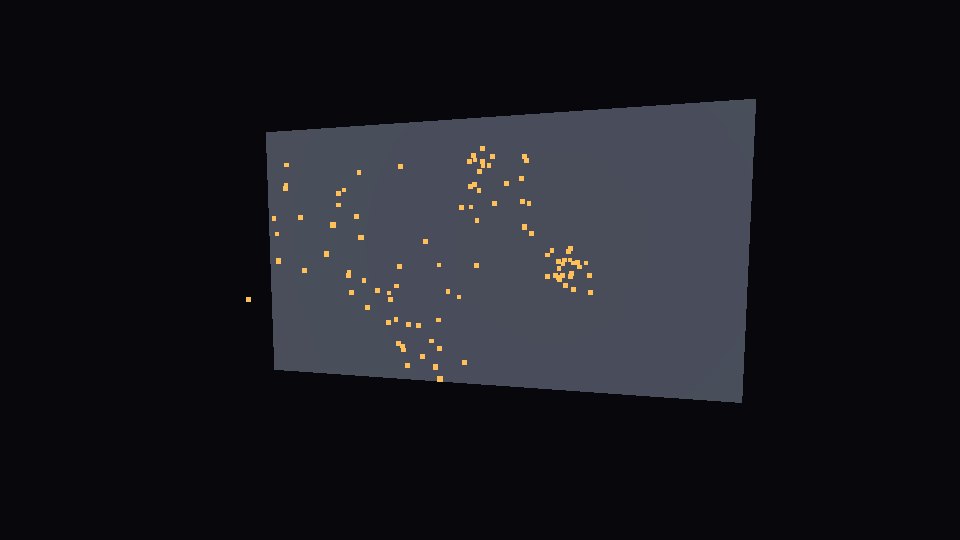
The code
Add a Node3D to your level, attach this script and call hit(position, normal) from your weapon code. The normal is the direction the sparks fly, for example the normal of the surface the ray hit.
extends Node3D
## Hit sparks from a few reused emitters: no new node for each hit.
## Add one to the level and call hit(position, normal) from your weapon code.

@export var size := 6  # more than the hits that can overlap within one lifetime
@export var color := Color(1.0, 0.75, 0.35)

var _pool: Array[GPUParticles3D] = []
var _next := 0


func _ready() -> void:
	for i in size:
		var p := GPUParticles3D.new()
		p.amount = 24
		p.lifetime = 0.5
		p.one_shot = true
		p.explosiveness = 1.0
		p.emitting = false
		p.local_coords = false
		var m := ParticleProcessMaterial.new()  # one each: direction is set per hit
		m.spread = 50.0
		m.initial_velocity_min = 3.0
		m.initial_velocity_max = 6.0
		m.gravity = Vector3(0, -9.8, 0)
		m.scale_min = 0.5
		m.scale_max = 1.0
		p.process_material = m
		var mat := StandardMaterial3D.new()
		mat.shading_mode = BaseMaterial3D.SHADING_MODE_UNSHADED
		mat.billboard_mode = BaseMaterial3D.BILLBOARD_PARTICLES
		mat.albedo_color = color
		var q := QuadMesh.new()
		q.size = Vector2(0.08, 0.08)
		q.material = mat
		p.draw_pass_1 = q
		add_child(p)
		_pool.append(p)


func hit(at: Vector3, normal := Vector3.UP) -> void:
	# Take the emitter that was used longest ago. restart() on one that is still
	# playing would wipe its sparks, so the pool must be big enough.
	var p := _pool[_next]
	_next = (_next + 1) % _pool.size()
	p.global_position = at
	(p.process_material as ParticleProcessMaterial).direction = normal
	p.restart()
Why not emit_particle()
We called emit_particle() three times on an emitter in the Compatibility renderer. Godot printed The Compatibility renderer does not support manually emitting particles, and 0 lit pixels showed up. Moving and restarting whole emitters, as the script does, worked there.
A pool that is too small
We hit one point, then a second point 2.5 meters away 0.1 seconds later, and counted lit points around each 0.05 seconds after that, over two runs.
- A pool of 1: 0 around the first hit, 226 to 229 around the second. The same emitter was moved and restarted, and the first sparks were gone.
- A pool of 6: 239 to 282 around the first hit and 199 to 230 around the second. Both show.
With a lifetime of 0.5 seconds, 6 emitters cover a hit every 0.1 seconds. Faster weapons need a bigger size or a shorter lifetime.
200 hits, still 6 nodes
We called hit() 200 times, one every 0.02 seconds, at random points. The pool still had 6 children at the end, and the last hit was showing: 177 to 470 lit points around it. Hits that come faster than the pool can cover cut the oldest sparks short instead of piling up nodes.
The direction
Each emitter has its own process material, so hit() can set the direction per hit. With the normal pointing right, 213 to 240 lit points were on the right of the hit and 0 on the left.
What to change
size: hits that can overlap within one lifetime, plus a few.amount,lifetimeand the velocities in_ready(): how big each hit is.color: orange sparks for metal, grey dust for stone, by using two pools.
Point and normal from a ray: spawn a hit effect at the impact point. The flash at the gun: muzzle flash with a real light.
All four Compatibility gaps in one place: particles not working in a web export.
Tested in Godot 4.7 with the Compatibility renderer.
More how-tos: Play, stop and remove effects
- Remove a one-shot particle effect when it ends
- Fade out and stop looping particles
- Spawn a hit effect facing the surface
- Changing one particle effect's color changes all of them
- Particles that play the same way every time
- Freeze particles in mid-air
- Running dust and landing puffs
- Particles left behind by a moving object
- 2D particles follow the player or stay behind
- Footstep particles that match the ground
- A level up effect that plays while paused
- Hide particle effects far from the camera
- Death particles disappear when the enemy is freed
- Remove all particles at once