Put a GPUParticles3D at the feet with local_coords off, so each puff stays where it was made and the dust trails behind. Every physics frame, turn emitting on only while is_on_floor() is true and the body is moving, and call restart() on a second, one-shot emitter on the frame the body lands.
The code
Add this script to a Node3D under your CharacterBody3D and move that node down to the feet. It only reads the body's velocity and floor state, so your movement code stays as it is.
extends Node3D
## Add as a child of your CharacterBody3D and move it down to the feet.
## Dust trails behind while the body runs on the ground, stops in the air, and puffs once on landing.

@export var min_speed := 2.0  # meters per second on the ground before dust starts
@export var color := Color(0.75, 0.68, 0.58)

var _trail := GPUParticles3D.new()
var _land := GPUParticles3D.new()
var _was_on_floor := true
@onready var _body := get_parent() as CharacterBody3D


func _ready() -> void:
	_trail.amount = 24
	_trail.lifetime = 0.6
	_trail.local_coords = false  # each puff stays where it was made, so the dust trails behind
	_trail.emitting = false
	_trail.process_material = _motion(30.0, 0.3, 0.8)
	_trail.draw_pass_1 = _puff(0.35)
	add_child(_trail)
	_land.amount = 16
	_land.lifetime = 0.5
	_land.one_shot = true
	_land.explosiveness = 1.0
	_land.local_coords = false
	_land.emitting = false
	_land.process_material = _motion(90.0, 1.5, 3.0)
	_land.draw_pass_1 = _puff(0.45)
	add_child(_land)


func _physics_process(_delta: float) -> void:
	var on_floor := _body.is_on_floor()
	var speed := Vector2(_body.velocity.x, _body.velocity.z).length()
	_trail.emitting = on_floor and speed > min_speed
	if on_floor and not _was_on_floor:
		_land.restart()  # one puff when the feet touch down
	_was_on_floor = on_floor


func _motion(spread: float, v_min: float, v_max: float) -> ParticleProcessMaterial:
	var m := ParticleProcessMaterial.new()
	m.direction = Vector3.UP
	m.spread = spread
	m.initial_velocity_min = v_min
	m.initial_velocity_max = v_max
	m.gravity = Vector3.ZERO
	m.damping_min = 2.0
	m.damping_max = 3.0
	var grow := Curve.new()
	grow.add_point(Vector2(0.0, 0.4))
	grow.add_point(Vector2(1.0, 1.0))
	var ct := CurveTexture.new()
	ct.curve = grow
	m.scale_curve = ct
	var fade := Gradient.new()
	fade.colors = PackedColorArray([Color(color, 0.6), Color(color, 0.0)])
	var ft := GradientTexture1D.new()
	ft.gradient = fade
	m.color_ramp = ft
	return m


func _puff(size: float) -> QuadMesh:
	var g := Gradient.new()
	g.colors = PackedColorArray([Color(1, 1, 1, 1), Color(1, 1, 1, 0)])
	var soft := GradientTexture2D.new()
	soft.gradient = g
	soft.fill = GradientTexture2D.FILL_RADIAL
	soft.fill_from = Vector2(0.5, 0.5)
	soft.fill_to = Vector2(1.0, 0.5)
	var mat := StandardMaterial3D.new()
	mat.shading_mode = BaseMaterial3D.SHADING_MODE_UNSHADED
	mat.transparency = BaseMaterial3D.TRANSPARENCY_ALPHA
	mat.billboard_mode = BaseMaterial3D.BILLBOARD_PARTICLES
	mat.vertex_color_use_as_albedo = true
	mat.albedo_texture = soft
	var q := QuadMesh.new()
	q.size = Vector2(size, size)
	q.material = mat
	return q
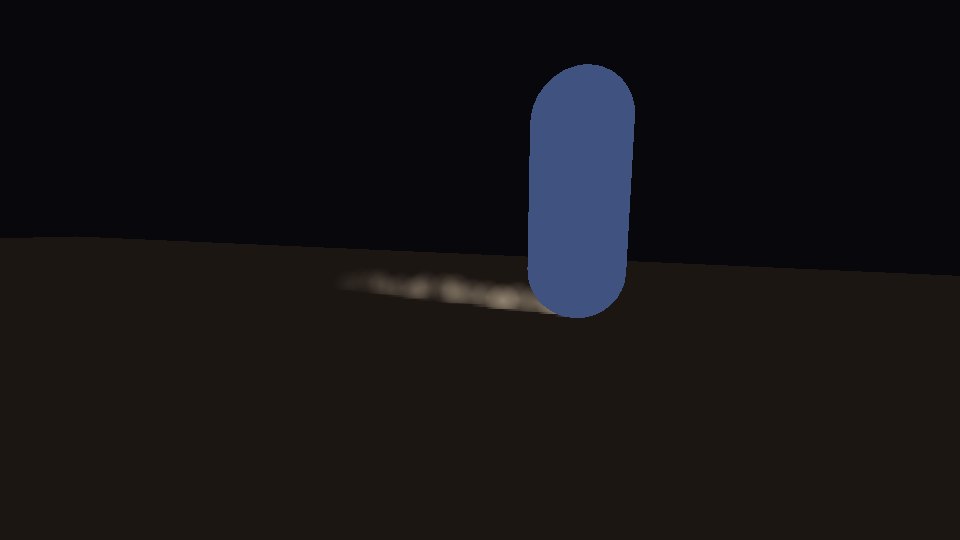
In our test the character stood on the floor, then ran at 5 meters per second. Standing still, there was no dust at all. After 0.8 seconds of running we counted 192 dust points behind the character and 0 in front of it, on a grid of 129,600 points over the screen. One second after it stopped, the dust was gone.
The dust moves with the character
That is local_coords turned on. The particles then live in the space of the node and travel with it. With it on, the same run gave 37 dust points behind and 11 in front: a small cloud stuck to the feet instead of a trail.
Dust keeps coming out in the air
emitting has to follow is_on_floor(). In our jump the character was in the air for 1.25 seconds. The trail stopped at takeoff, and 0.6 seconds later there was no dust left on the screen.
One puff per landing
The script remembers whether the body was on the floor in the last frame, and plays the landing emitter only on the frame it touches down. One jump gave one landing puff, 165 points of dust right after touch-down. Running on flat ground for 0.8 seconds gave none.
What to change
min_speed: how fast the body must move before dust starts.amountandlifetimeon the trail: how long the trail is.color: dirt, sand or snow.initial_velocity_maxand the quad size of the landing emitter: a bigger puff for a heavy landing.
To stop and remove other effects cleanly, see fade out and stop looping particles. The same trail on water, with the amount following the speed: a boat wake. Dust that keeps some of the character's speed instead of stopping in the air: inherit velocity from a moving emitter. The same trail for a 2D character: 2D particles that follow or stay behind.
Tested in Godot 4.7 with the Compatibility renderer.
Ready-made: Movement VFX for Godot 4 has a run dust trail in dirt and snow, light and heavy landing dust, dash and footstep effects, in Modern and PSX looks.
More how-tos: Play, stop and remove effects
- Remove a one-shot particle effect when it ends
- Fade out and stop looping particles
- Spawn a hit effect facing the surface
- Hit sparks from a pool of emitters
- Changing one particle effect's color changes all of them
- Particles that play the same way every time
- Freeze particles in mid-air
- Particles left behind by a moving object
- 2D particles follow the player or stay behind
- Footstep particles that match the ground
- A level up effect that plays while paused
- Hide particle effects far from the camera
- Death particles disappear when the enemy is freed
- Remove all particles at once