Setting amount on a GPUParticles3D that is playing restarts it: every particle on screen vanishes at once. Set amount once to the most you need, then change amount_ratio (0 to 1) every frame from the boat's speed. A wake made this way has the same amount of foam per meter of water at any speed, and stops when the boat stops.
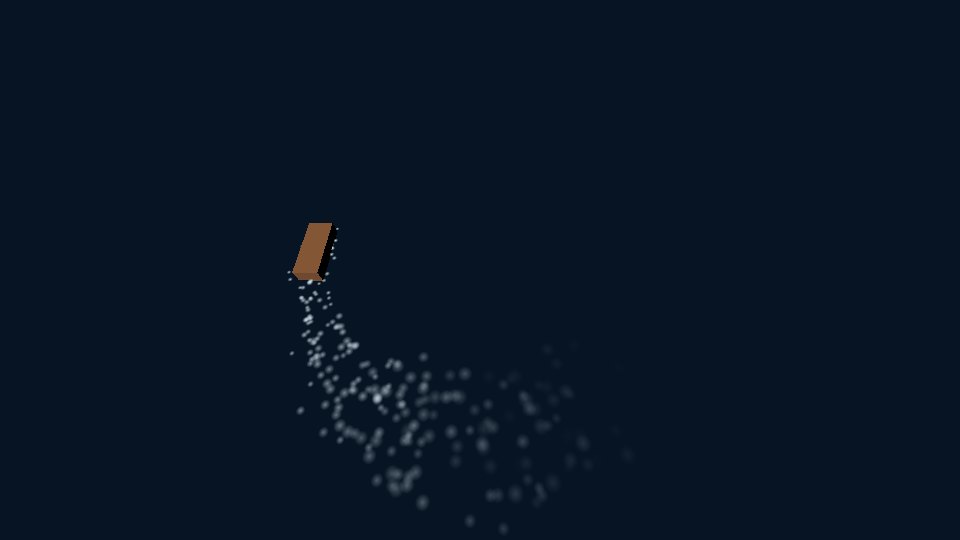
The code
Add a GPUParticles3D as a child of the boat, at the back and at water height, and attach this script. It works out the speed from how far the boat moved since the last physics frame, so it does not care how the boat is moved.
extends GPUParticles3D
## Foam behind a boat: the same amount of foam per meter at any speed, and none when it stops.
## Add it as a child of the boat, at the back, at water height. Any node that moves works.

@export var full_speed := 8.0  # m/s where the wake is at its thickest
@export var min_speed := 0.5  # slower than this: no new foam
@export var color := Color(0.9, 0.97, 1.0)

var _last: Vector3


func _ready() -> void:
	amount = 400  # the most foam, at full speed. Changing amount while it plays restarts it: use amount_ratio
	lifetime = 2.5
	local_coords = false  # the foam stays on the water where it was made
	visibility_aabb = AABB(Vector3(-30, -2, -30), Vector3(60, 4, 60))
	var m := ParticleProcessMaterial.new()
	m.emission_shape = ParticleProcessMaterial.EMISSION_SHAPE_BOX
	m.emission_box_extents = Vector3(0.5, 0.0, 0.1)
	m.direction = Vector3(1, 0, 0)
	m.spread = 180.0  # out to both sides
	m.flatness = 1.0  # and only along the water
	m.initial_velocity_min = 0.3
	m.initial_velocity_max = 0.9
	m.gravity = Vector3.ZERO
	m.scale_min = 0.6
	m.scale_max = 1.0
	var grow := Curve.new()
	grow.add_point(Vector2(0, 0.4))
	grow.add_point(Vector2(1, 1.6))
	var gt := CurveTexture.new()
	gt.curve = grow
	m.scale_curve = gt
	var fade := Gradient.new()
	fade.colors = PackedColorArray([Color(1, 1, 1, 0.9), Color(1, 1, 1, 0)])
	var ft := GradientTexture1D.new()
	ft.gradient = fade
	m.color_ramp = ft
	process_material = m
	var dot := Gradient.new()
	dot.colors = PackedColorArray([Color(1, 1, 1, 1), Color(1, 1, 1, 0)])
	var dt := GradientTexture2D.new()
	dt.gradient = dot
	dt.fill = GradientTexture2D.FILL_RADIAL
	dt.fill_from = Vector2(0.5, 0.5)
	dt.fill_to = Vector2(1.0, 0.5)
	var mat := StandardMaterial3D.new()
	mat.shading_mode = BaseMaterial3D.SHADING_MODE_UNSHADED
	mat.transparency = BaseMaterial3D.TRANSPARENCY_ALPHA
	mat.vertex_color_use_as_albedo = true
	mat.albedo_texture = dt
	mat.albedo_color = color
	var q := QuadMesh.new()
	q.size = Vector2(0.5, 0.5)
	q.orientation = PlaneMesh.FACE_Y  # flat on the water
	q.material = mat
	draw_pass_1 = q
	_last = global_position


func _physics_process(delta: float) -> void:
	var speed := global_position.distance_to(_last) / delta
	_last = global_position
	amount_ratio = 0.0 if speed < min_speed else clampf(speed / full_speed, 0.0, 1.0)
What changing amount does
We ran the boat at full speed for 3 seconds and looked down from above, over two runs. There were 229 to 231 lit foam points on screen. We set amount to a new value: the next frame had 0.
We dropped the speed from 8 to 4 meters per second instead, so the script set amount_ratio to 0.5. The next frame had 240 to 242 lit points, against 222 to 247 just before: nothing vanished, the new foam just comes in thinner.
Why the ratio follows the speed
A fixed rate puts the same number of particles in the water every second, so a slow boat leaves them in a pile and a fast one spreads them thin. We counted the foam in the 4 meters behind the boat:
- Fixed rate: 446 to 455 lit points at 2 meters per second, 93 to 99 at 8.
- The script: 92 to 95 at 2 meters per second, 94 to 96 at 8.
When the boat stops
amount_ratio goes to 0 below min_speed. Half a second after the boat stopped, 135 to 152 lit points were still fading out. 3 seconds after, there were 0.
Local Coords must be off
With local_coords on, the foam moves with the boat instead of staying in the water. We counted foam more than 3 meters behind the boat: 176 to 180 lit points with it off, 0 with it on.
What to change
full_speed: the boat's top speed, where the wake is at its thickest.amount: the most foam you want atfull_speed.lifetimeand the scale curve: how long the wake is and how wide it spreads.emission_box_extents: the width of the back of the boat.
The same idea on land: running dust for a CharacterBody3D. Turning a looping effect off: fade out and stop looping particles.
Tested in Godot 4.7 with the Compatibility renderer.
Ready-made: Naval & Pirate VFX for Godot 4 has a Bow Wake in slow and fast versions and a Stern Trail for ships, plus cannon fire, cannonball splashes and a sinking ship.