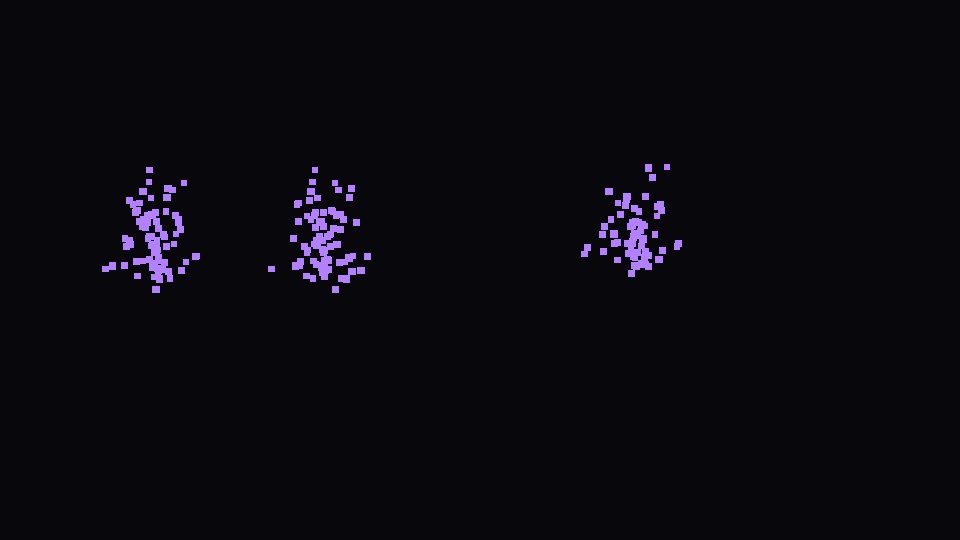
emitting = false stops new particles, but the ones already out live to the end of their lifetime. Call restart(), which removes every particle that is out, and then set emitting = false. In our Godot 4.7 test, an aura with a 2 second lifetime still showed 239 to 249 lit points 0.5 seconds after emitting = false. With the script's clear(), the next frame still showed the old particles and the frame after that was empty.
The code
Attach this to a GPUParticles3D and call clear() when the player respawns or teleports. Set emitting = true to start it again.
extends GPUParticles3D
## A looping aura with clear(), which makes every particle vanish at once: for a respawn, a teleport or a level reset.
## emitting = false alone stops new particles but lets the ones already out live out their lifetime.


func _ready() -> void:
	amount = 80
	lifetime = 2.0
	var m := ParticleProcessMaterial.new()
	m.emission_shape = ParticleProcessMaterial.EMISSION_SHAPE_SPHERE
	m.emission_sphere_radius = 0.6
	m.direction = Vector3.UP
	m.spread = 20.0
	m.initial_velocity_min = 0.3
	m.initial_velocity_max = 0.6
	m.gravity = Vector3.ZERO
	process_material = m
	var mat := StandardMaterial3D.new()
	mat.shading_mode = BaseMaterial3D.SHADING_MODE_UNSHADED
	mat.billboard_mode = BaseMaterial3D.BILLBOARD_PARTICLES
	mat.albedo_color = Color(0.7, 0.5, 1.0)
	var q := QuadMesh.new()
	q.size = Vector2(0.08, 0.08)
	q.material = mat
	draw_pass_1 = q


func clear() -> void:
	restart()  # removes every particle that is out
	emitting = false  # and stops new ones. Set emitting = true to start again.
What we measured
An aura of 80 particles with a 2 second lifetime, running for 2.5 seconds before we stopped it, with about 340 lit points on screen. We counted lit points right after, then 0.5, 1.5 and 2.5 seconds later. Two runs of each.
- The script's clear(): the next frame still showed them, the frame after was empty, and it stayed at 0.
emitting = false: 239 to 249 at 0.5 s, 72 at 1.5 s, 0 at 2.5 s.visible = false: 0 at once, but the aura kept running. When we showed it again at 1.5 s, 353 to 355 lit points were there.restart()alone: 101 to 106 at 0.5 s, and back to 348 to 352 by 2.5 s. It clears the particles and starts over.
One frame late
The frame right after clear() still showed the old particles. If they must not be seen at all, for example during a cut to another camera, also set visible = false when you clear, and back to true when you emit again.
What to change
amount,lifetimeandemission_sphere_radius: the aura itself.clear(): call it from your respawn, teleport or reset code.
To let them fade out instead: fade out and stop looping particles. An effect that should vanish with its owner: particles and queue_free().
Tested in Godot 4.7 with the Compatibility renderer.
More how-tos: Play, stop and remove effects
- Remove a one-shot particle effect when it ends
- Fade out and stop looping particles
- Spawn a hit effect facing the surface
- Hit sparks from a pool of emitters
- Changing one particle effect's color changes all of them
- Particles that play the same way every time
- Freeze particles in mid-air
- Running dust and landing puffs
- Particles left behind by a moving object
- 2D particles follow the player or stay behind
- Footstep particles that match the ground
- A level up effect that plays while paused
- Hide particle effects far from the camera
- Death particles disappear when the enemy is freed