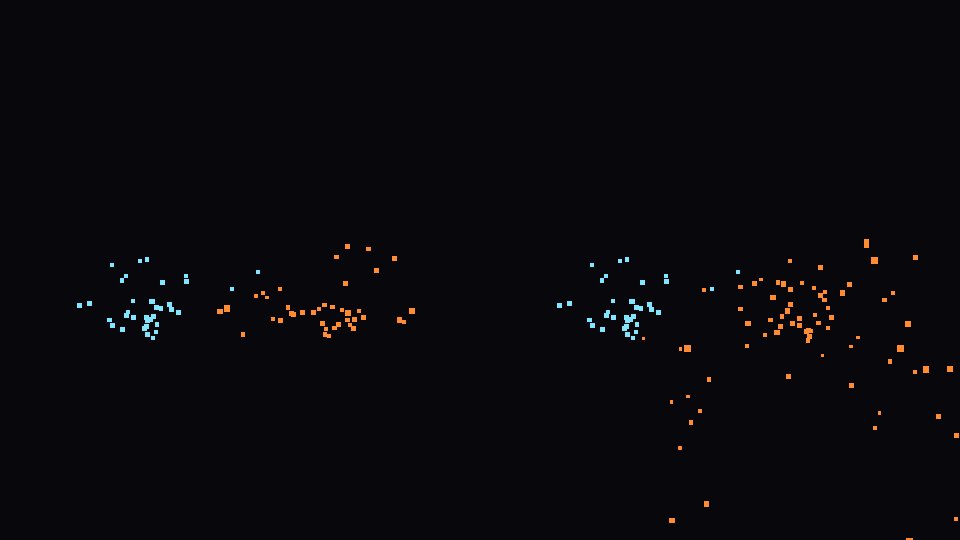
Set the emitter's speed_scale to 0: every particle stops where it is, and setting it back to 1 lets them go on from there. In our test nothing on screen changed in a whole second while frozen. Setting emitting to false is not a freeze: it only stops new particles, and the ones already out kept flying until their lifetime ran out.
The code
Attach this to a GPUParticles3D and call freeze(true) and freeze(false). The speed_scale line is the fix.
extends GPUParticles3D
## A fountain of sparks that can be frozen in mid-air, for a time stop or a photo mode.
## freeze(true) stops every spark where it is. freeze(false) lets them go on from there.


func _ready() -> void:
	amount = 80
	lifetime = 2.0
	var m := ParticleProcessMaterial.new()
	m.direction = Vector3.UP
	m.spread = 40.0
	m.initial_velocity_min = 2.0
	m.initial_velocity_max = 4.0
	m.gravity = Vector3(0, -4, 0)
	process_material = m
	var mat := StandardMaterial3D.new()
	mat.shading_mode = BaseMaterial3D.SHADING_MODE_UNSHADED
	mat.billboard_mode = BaseMaterial3D.BILLBOARD_PARTICLES
	mat.albedo_color = Color(0.5, 0.9, 1.0)
	var q := QuadMesh.new()
	q.size = Vector2(0.08, 0.08)
	q.material = mat
	draw_pass_1 = q


func freeze(on: bool) -> void:
	speed_scale = 0.0 if on else 1.0  # the fix: 0 stops every spark where it is
What we measured
We ran the fountain for 1 second, changed one thing, and compared the screen before and 1 second later, every second pixel. Two runs of each.
- The script, frozen: 0 points changed, and the same number lit, 225 to 244. On freeze(false), the next frame still had 219 to 227 lit: the sparks went on from where they stopped instead of starting over.
- Nothing changed, for comparison: 588 to 599 points changed in that second.
emittingset to false: 403 to 446 points changed. The sparks kept moving and falling, and 2.5 seconds after it was set, none were left.- The whole game paused with
get_tree().paused = true: 0 points changed, like the script. - Hidden with
visibleset to false for that second, then shown: 270 to 274 points changed. The sparks had moved on while they were hidden.
Freeze only some effects
Pausing the tree froze the sparks too, but it also stops everything else that can pause. To freeze only some effects, for a time stop where the player keeps moving, set speed_scale on those emitters. For the opposite, an effect that keeps playing on a pause screen: level up effect while paused.
What to change
speed_scalebetween 0 and 1: slow motion for this emitter only.amount,lifetimeand the velocities: the size of the fountain.
Slowing the whole game for a hit: hit stop with time scale. Stopping a looping effect and letting it fade: fade out looping particles.
Tested in Godot 4.7 with the Compatibility renderer.
More how-tos: Play, stop and remove effects
- Remove a one-shot particle effect when it ends
- Fade out and stop looping particles
- Spawn a hit effect facing the surface
- Hit sparks from a pool of emitters
- Changing one particle effect's color changes all of them
- Particles that play the same way every time
- Running dust and landing puffs
- Particles left behind by a moving object
- 2D particles follow the player or stay behind
- Footstep particles that match the ground
- A level up effect that plays while paused
- Hide particle effects far from the camera
- Death particles disappear when the enemy is freed
- Remove all particles at once