Set Engine.time_scale to something like 0.05 for a hit stop or 0.3 for slow motion, and set it back to 1 after a number of real milliseconds from Time.get_ticks_msec(). A plain get_tree().create_timer() runs on game time, so at 0.05 it waits far longer than you asked. GPU particles slow down with the game; for the ones that should not, set speed_scale to 1 divided by the time scale.
The code
Save this as a script and add it as an autoload named HitStop (Project Settings, Globals). Call HitStop.hit_stop() when a big hit lands, or HitStop.slow_motion(0.3, 1.5) for a finishing blow.
extends Node
## Hit stop (a short freeze on a big hit) and slow motion, with Engine.time_scale.
## Add it as an autoload named HitStop, then call HitStop.hit_stop() or HitStop.slow_motion().
## Particles slow down with time_scale too. Emitters that must keep full speed: keep_full_speed().

var _until := 0  # Time.get_ticks_msec() when it ends: real time, so time_scale does not stretch it
var _full := []  # emitters from keep_full_speed()


## Almost freeze the game for a moment. seconds is real time.
func hit_stop(seconds := 0.08, scale := 0.05) -> void:
	_apply(scale, seconds)


## Slow the game down for some real seconds. A new call replaces the one before.
func slow_motion(scale := 0.3, seconds := 1.5) -> void:
	_apply(scale, seconds)


## This emitter plays at full speed while the game is slowed (menus, the player's own effects).
func keep_full_speed(p: GPUParticles3D) -> void:
	_full.append(p)


func _apply(scale: float, seconds: float) -> void:
	Engine.time_scale = scale
	_until = Time.get_ticks_msec() + int(seconds * 1000.0)


func _process(_delta: float) -> void:
	if _until > 0 and Time.get_ticks_msec() >= _until:
		_until = 0
		Engine.time_scale = 1.0
	_full = _full.filter(func(p): return is_instance_valid(p))  # drop emitters that were freed
	for p in _full:
		p.speed_scale = 1.0 / maxf(Engine.time_scale, 0.001)
Particles slow down with the game
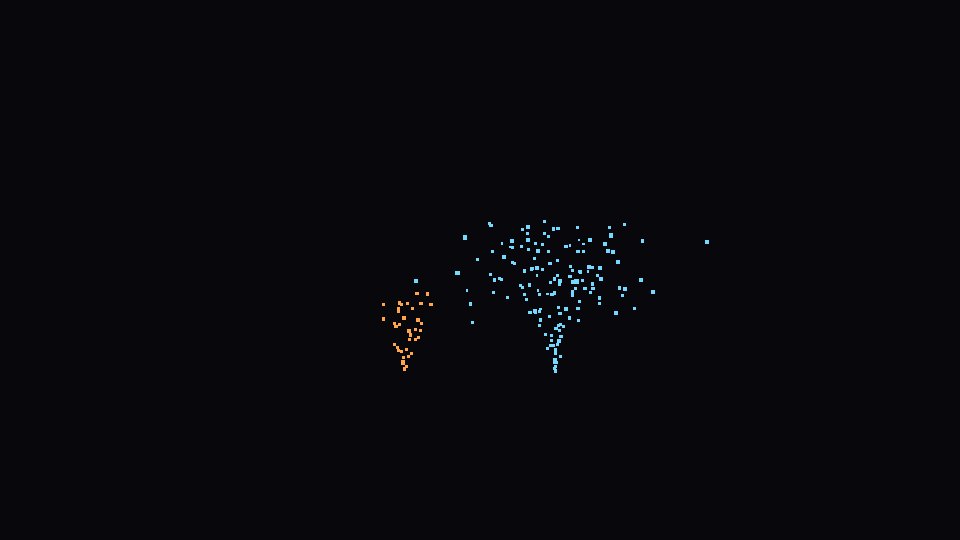
We shot one particle straight up at 1 meter per second and measured how far it went in 1.5 seconds of real time, over four runs.
- Normal speed: 1.50 to 1.53 meters.
- After
slow_motion(0.25): 0.38 meters, a quarter. - Slow motion, with the emitter added through
keep_full_speed(): 1.51 to 1.55 meters, as fast as normal.
Use it for effects that should not feel slowed: a menu, a power-up the player just picked, the player's own aura in bullet time. An emitter that is freed is dropped from the list by itself: after ours was freed, the list was empty.
End it on real time
hit_stop(0.08) set the time scale to 0.05, and it was back to 1 after 99 to 101 real milliseconds: the 80 asked for, plus the frame it was checked on.
With the time scale at 0.05, await get_tree().create_timer(0.08).timeout took 1,284 to 1,285 real milliseconds. The same timer with its fourth argument, ignore_time_scale, set to true took 82 to 83. Anything that has to end the slow motion must not wait on game time.
What to change
secondsinhit_stop(): 0.05 to 0.1 for normal hits, more for a boss's last hit.scale: 0.05 nearly stops the game, 0.3 is a slow motion you can still play in.
Shake the camera on the same hit: screen shake with Camera2D. A white flash on the enemy: hit flash for 3D meshes.
Tested in Godot 4.7 with the Compatibility renderer.