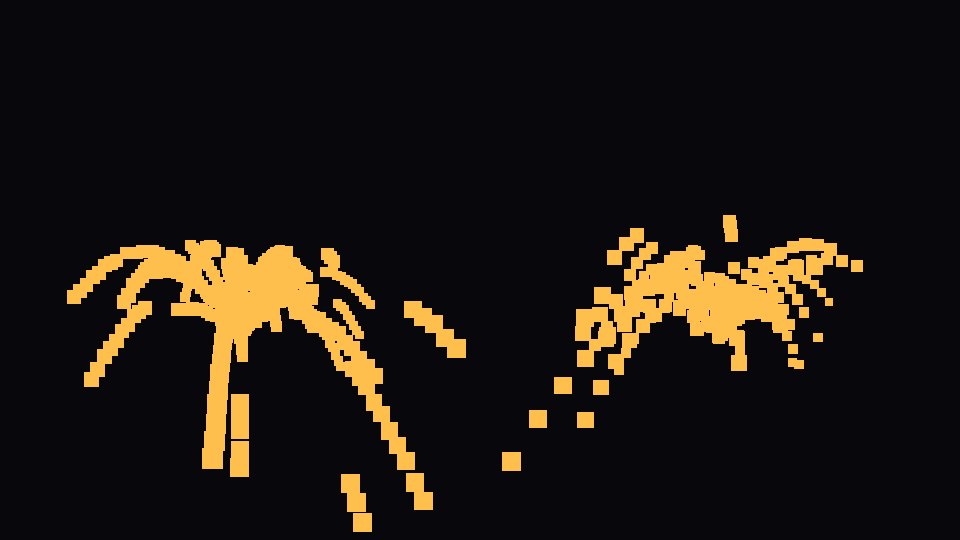
A GPUParticles3D updates its particles fixed_fps times a second, 30 by default. With interpolate on, also the default, Godot moves them smoothly between updates. Turn it off and they stand still in between: at about 60 frames a second, our sparks moved in 30 of 60 frames with fixed_fps 30, and in only 12 with fixed_fps 12. Choppy particles you did not ask for: set interpolate = true. Choppy on purpose, like hand-drawn effects: a low fixed_fps with interpolate off, as in the script below.
The code
Attach this to a GPUParticles3D. fixed_fps = 12 and interpolate = false make the stop-motion look. Change only interpolate to true and the same sparks move smoothly again.
extends GPUParticles3D
## Sparks that move 12 times a second, like hand-drawn effects animated on twos.
## Choppy particles you did not ask for? Set interpolate back to true, the default.


func _ready() -> void:
	fixed_fps = 12  # the particles update 12 times a second (the default is 30)
	interpolate = false  # stay still between updates (true = smooth at any fixed_fps)
	amount = 40
	lifetime = 1.0
	var m := ParticleProcessMaterial.new()
	m.direction = Vector3.UP
	m.spread = 35.0
	m.initial_velocity_min = 3.0
	m.initial_velocity_max = 4.5
	m.gravity = Vector3(0, -6, 0)
	process_material = m
	var mat := StandardMaterial3D.new()
	mat.shading_mode = BaseMaterial3D.SHADING_MODE_UNSHADED
	mat.billboard_mode = BaseMaterial3D.BILLBOARD_PARTICLES
	mat.albedo_color = Color(1, 0.75, 0.3)
	var q := QuadMesh.new()
	q.size = Vector2(0.15, 0.15)
	q.material = mat
	draw_pass_1 = q
What we measured
We ran the sparks at about 60 frames a second and counted, over 60 frames in a row, how many frames looked different from the one before. Two runs of each gave the same counts.
- The script, fixed_fps 12 and interpolate off: 12 of 60.
- The same with interpolate on: 60 of 60.
- fixed_fps 30, the default, with interpolate off: 30 of 60.
- fixed_fps 0, which updates every frame, with interpolate off: 60 of 60.
A new GPUParticles3D starts with fixed_fps 30 and interpolate on. If yours look choppy, check whether interpolate was turned off.
Which fixed_fps for a stop-motion look
12 is the rate of hand-drawn effects animated on twos. Lower looks choppier, higher smoother. Keep interpolate off, or the particles move smoothly whatever fixed_fps you pick.
What to change
fixed_fpsandinterpolate: how choppy.amount,initial_velocity_min,initial_velocity_maxandgravity: how many sparks and how high they fly.
A higher fixed_fps also helps fast particles hit thin colliders: rain falling through a roof. Pixel-art effects that look soft: pixel art particles look blurry.
Tested in Godot 4.7 with the Compatibility renderer.