When a GPUParticles3D draws a mesh, such as a box for a rock chunk, the process material's angle_min, angle_max and angular velocity do nothing by default: every chunk keeps the same facing. Turn on particle_flag_rotate_y (Particle Flags, Rotate Y in the Inspector). In our test a chunk set to turn 180 degrees a second stayed 68 pixels wide without it, and turned with it.
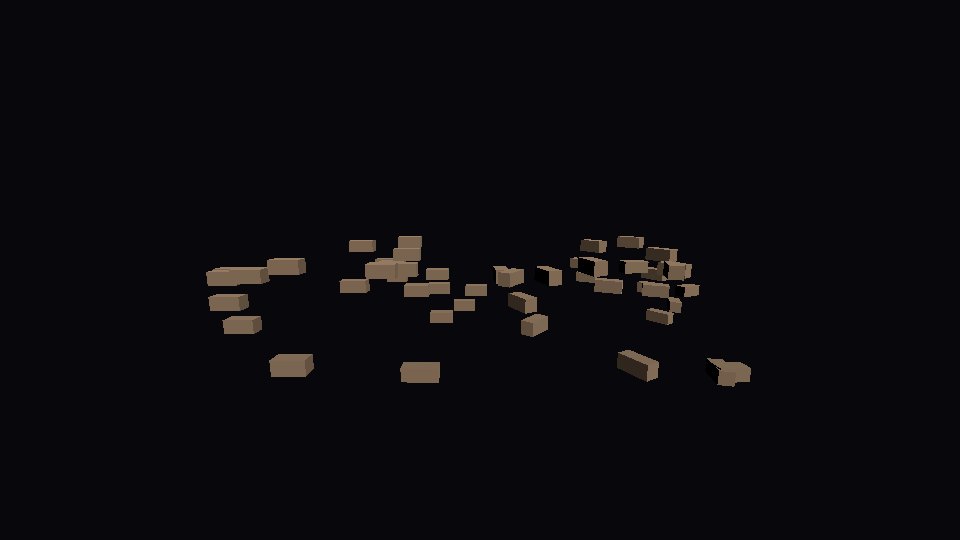
The code
Attach this to a GPUParticles3D at the point of an impact and call restart(). The particle_flag_rotate_y line is the fix.
extends GPUParticles3D
## Chunks of rock that fly out of an impact and spin as they fly. Call restart() to play it.
## Each chunk is a small box mesh, so the particles need Rotate Y to turn.


func _ready() -> void:
	amount = 24
	lifetime = 1.5
	one_shot = true
	explosiveness = 1.0
	var m := ParticleProcessMaterial.new()
	m.particle_flag_rotate_y = true  # the fix: without it, angle and angular velocity do nothing on a mesh
	m.angle_min = 0.0
	m.angle_max = 360.0
	m.angular_velocity_min = -360.0
	m.angular_velocity_max = 360.0
	m.direction = Vector3.UP
	m.spread = 60.0
	m.initial_velocity_min = 3.0
	m.initial_velocity_max = 5.0
	process_material = m
	var box := BoxMesh.new()
	box.size = Vector3(0.25, 0.12, 0.12)
	var mat := StandardMaterial3D.new()
	mat.albedo_color = Color(0.55, 0.45, 0.35)
	box.material = mat
	draw_pass_1 = box
What we measured
We held one 0.25 m chunk still in front of an orthographic camera, with a light, and measured its width on screen 8 times, 0.125 seconds apart. Two runs gave the same widths.
- Rotate Y is off by default.
- The script, turning 180 degrees a second: 66, 46, 32, 70, 74, 67, 74 and 62 pixels. It turned.
- The same with Rotate Y off: 68 pixels every time. It did not turn.
- A fixed angle of 90 degrees and no turning: 32 pixels with Rotate Y on, side-on to the camera. 68 pixels with it off: the angle was ignored.
Flat sprites are different
This is for particles drawn as meshes. Flat particles that face the camera with Billboard Mode set to Particle Billboard take the angle without the flag: particle scale curve and angle.
What to change
angular_velocity_minandangular_velocity_max: how fast they turn, in degrees per second. Negative turns the other way.angle_minandangle_max: the facing they start with.box.sizeand the color: the size and look of a chunk.
Chunks that land and stay on the floor: particles fall through the floor. The rest of an explosion: explosion particles in one burst.
Tested in Godot 4.7 with the Compatibility renderer.
More how-tos: Fire, smoke and explosions
- Fire that turns to smoke in a cone
- Bright fire with dark smoke
- Smoke particles leave a hard line on the ground
- Particles drawing in the wrong order
- Explosion effect in one burst
- Particles all disappear at once
- Muzzle flash with a real light
- Glowing particles in Godot 4
- Glowing particles cast dark shadows
- Particles from the surface of a mesh, at runtime
- Fireworks without sub-emitters
- Fire or dust over a whole building