Use one emitter. direction and spread make the cone, a color ramp takes each particle from flame to smoke over its lifetime, and a scale curve makes it grow as it rises.
The code
Put this on a Node3D with a Camera3D pointed at it.
extends Node3D
## Fire that turns to smoke as it rises, in a cone. One emitter, no texture files.

func _ready() -> void:
	var fx := GPUParticles3D.new()
	fx.amount = 160
	fx.lifetime = 2.4
	fx.preprocess = 2.4  # start full, not from nothing
	fx.visibility_aabb = AABB(Vector3(-5, -1, -5), Vector3(10, 11, 10))
	fx.process_material = _make_process()
	fx.draw_pass_1 = _make_quad()
	add_child(fx)


func _make_ramp() -> GradientTexture1D:
	var g := Gradient.new()
	g.offsets = PackedFloat32Array([0.0, 0.08, 0.28, 0.42, 0.6, 1.0])
	g.colors = PackedColorArray([
		Color(1.0, 0.85, 0.45, 0.0),  # fades in, so no hard start
		Color(1.0, 0.72, 0.25, 0.6),  # flame
		Color(0.95, 0.3, 0.06, 0.6),
		Color(0.32, 0.2, 0.16, 0.55),  # smoke starts here
		Color(0.3, 0.3, 0.32, 0.4),
		Color(0.36, 0.36, 0.38, 0.0),
	])
	var t := GradientTexture1D.new()
	t.gradient = g
	return t


func _make_process() -> ParticleProcessMaterial:
	var p := ParticleProcessMaterial.new()
	p.emission_shape = ParticleProcessMaterial.EMISSION_SHAPE_SPHERE
	p.emission_sphere_radius = 0.25
	p.direction = Vector3.UP
	p.spread = 18.0  # the cone: wider spread = wider cone
	p.initial_velocity_min = 1.6
	p.initial_velocity_max = 3.0
	p.gravity = Vector3(0, 0.6, 0)
	p.damping_min = 0.2
	p.damping_max = 0.5
	p.scale_min = 0.6
	p.scale_max = 1.2
	p.color_ramp = _make_ramp()
	var c := Curve.new()
	c.add_point(Vector2(0.0, 0.1))
	c.add_point(Vector2(1.0, 1.0))
	var ct := CurveTexture.new()
	ct.curve = c
	p.scale_curve = ct
	return p


func _make_quad() -> QuadMesh:
	var g := Gradient.new()
	g.colors = PackedColorArray([Color(1, 1, 1, 1), Color(1, 1, 1, 0)])
	var soft := GradientTexture2D.new()
	soft.gradient = g
	soft.fill = GradientTexture2D.FILL_RADIAL
	soft.fill_from = Vector2(0.5, 0.5)
	soft.fill_to = Vector2(1.0, 0.5)

	var mat := StandardMaterial3D.new()
	mat.shading_mode = BaseMaterial3D.SHADING_MODE_UNSHADED
	mat.transparency = BaseMaterial3D.TRANSPARENCY_ALPHA
	mat.billboard_mode = BaseMaterial3D.BILLBOARD_PARTICLES
	mat.vertex_color_use_as_albedo = true
	mat.albedo_texture = soft

	var q := QuadMesh.new()
	q.size = Vector2(1.7, 1.7)
	q.material = mat
	return q
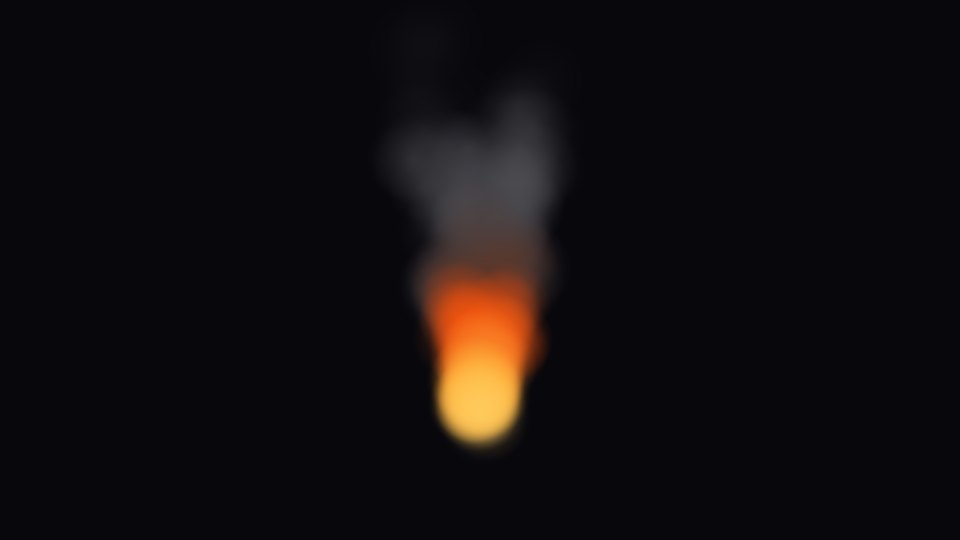
In our test frame the plume was about twice as wide near the top as near the base, and it went from warm orange at the base to neutral gray at the top.
What to change
spread: the width of the cone.initial_velocity_minandinitial_velocity_max: how high it rises.g.offsetsin the color ramp: where the flame ends and the smoke starts.amount: how thick it looks.
Why it uses alpha blending
Additive blending only adds light, so dark smoke would not show. This material uses alpha blending for both parts, which makes the flame a little less bright than an additive one. For a brighter flame, use two emitters: additive for the flame and alpha for the smoke.
Tested in Godot 4.7 with the Compatibility renderer.
Want ready-made effects? Try the free Arcane VFX pack or the VFX Collection for Godot 4.