Set the TextureRect's expand_mode to Ignore Size and stretch_mode to Keep Aspect Covered, and change scenes by fading a second layer in over the old one. In our Godot 4.7 test, a plain full-rect TextureRect kept a 1920 x 1080 picture at 1920 x 1080 in a 960 x 540 window, so only its top-left quarter showed. Fading through black dropped the middle of the screen to 0.00-0.02 brightness halfway; the script's crossfade never went below the darker of the two pictures.
The code
Add a Control as the first child of your UI so it draws behind the characters and the text box, and attach this script. Call show_bg(texture) for every scene change, or show_bg(texture, true) for the first scene with no fade. fade_time is in seconds.
extends Control
## Visual novel background: fills any screen shape and changes scenes with a crossfade, never a flash of black.
## Add it as the first child of your UI and call show_bg(texture) for every scene change.

@export var fade_time := 0.6

var _back: TextureRect
var _front: TextureRect
var _tween: Tween


func _ready() -> void:
	set_anchors_and_offsets_preset(Control.PRESET_FULL_RECT)
	mouse_filter = Control.MOUSE_FILTER_IGNORE
	_back = _layer()
	_front = _layer()


func _layer() -> TextureRect:
	var t := TextureRect.new()
	t.expand_mode = TextureRect.EXPAND_IGNORE_SIZE  # the default keeps the image at full size, bigger than a small window
	t.stretch_mode = TextureRect.STRETCH_KEEP_ASPECT_COVERED  # fill the screen, crop the edges, no black bars
	t.mouse_filter = Control.MOUSE_FILTER_IGNORE
	add_child(t)
	t.set_anchors_and_offsets_preset(Control.PRESET_FULL_RECT)
	return t


func show_bg(tex: Texture2D, instant := false) -> void:
	if _tween:
		_tween.kill()
	_back.texture = _front.texture  # the old scene stays underneath while the new one fades in
	_front.texture = tex
	_front.modulate.a = 1.0 if instant else 0.0
	if not instant:
		_tween = create_tween()
		_tween.tween_property(_front, "modulate:a", 1.0, fade_time)
What we measured
A 1920 x 1080 test picture with a different color in each quarter, in a 960 x 540 window. We read the color in the middle of each quarter of the screen and counted the black rows down the middle. For the scene change we read the brightness in the middle of the screen every frame. Two runs gave the same results except where noted.
- Plain TextureRect, full rect: its size stayed 1920 x 1080 and all four quarters of the screen showed red, the picture's top-left corner.
- The script: red, green, blue and yellow, the whole picture.
- In a 4:3 area (720 x 540): Keep Aspect Covered left 0 black rows and cropped the sides; Keep Aspect Centered left 135 black rows.
- Fade to black, swap, fade back (0.3 s each way): the middle of the screen went down to 0.02 and 0.00 in the two runs.
- The script's crossfade from a warm picture (1.8) to a blue one (1.3): never below 1.3.
Why the plain TextureRect is too big
With expand_mode left at Keep Size, the picture's own size is the smallest the TextureRect can be. In a window smaller than the picture, it overflows past the right and bottom edges. Ignore Size lets the anchors decide the size instead.
What to change
fade_time: 0.6 s is a calm change. Shorter for a quick cut between rooms.- Keep Aspect Covered crops the sides on narrow screens. Keep the important parts of your backgrounds away from the left and right edges.
- For a fade to black on purpose, such as the end of a chapter, call
show_bg()with an all-black texture, then with the next scene.
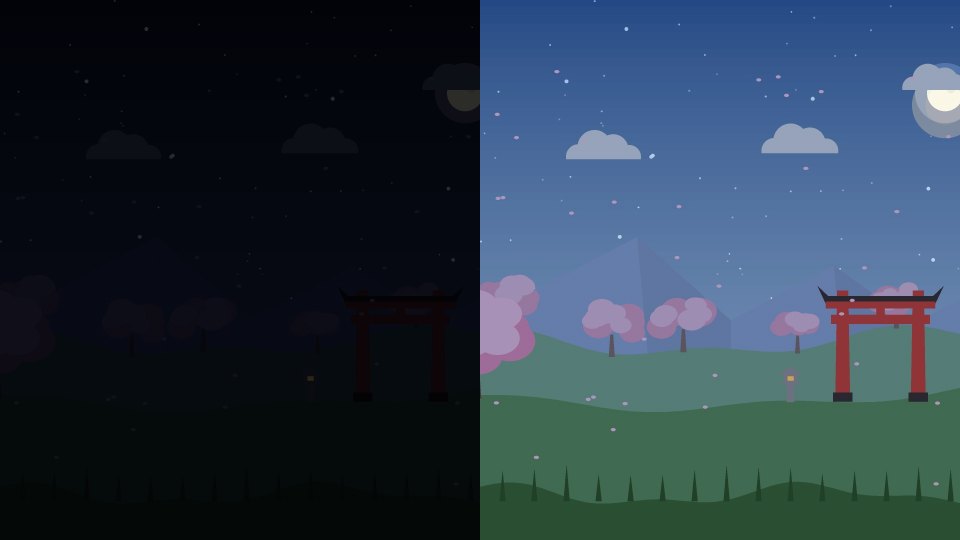
Backgrounds to try it with: Asian Visual Novel Backgrounds Free has 2 scenes (Torii and Sakura Hill, Thai Temple) at 1920 x 1080 in day, evening and night, as JPG for any engine plus PNG named for Ren'Py.
Tested in Godot 4.7 with the Compatibility renderer.
Ready-made: Asian Visual Novel Backgrounds has 12 scenes at 1920 x 1080 with the landmark on the left or right third, so the bottom middle stays clear for characters.