Do not add the number as a child of the enemy: when the enemy is freed, the number goes with it. Put one node in your level that creates a Label at the hit position, tweens it up and fades it, then frees it. Give that node a high z_index so new sprites do not cover the numbers.
The code
Add a Node2D to your level with this script, then call show_number(enemy.global_position, 25) from your damage code. The color is optional.
extends Node2D
## Add this once to your level. On a hit, call show_number(enemy.global_position, 25).

@export var rise := 40.0  # pixels up
@export var time := 0.7  # seconds on screen
@export var font_size := 28


func _ready() -> void:
	z_index = 100  # drawn above the sprites, even ones added later
	z_as_relative = false


func show_number(at: Vector2, amount: int, color := Color.WHITE) -> void:
	var label := Label.new()
	label.text = str(amount)
	label.add_theme_font_size_override("font_size", font_size)
	label.add_theme_color_override("font_color", color)
	label.add_theme_color_override("font_outline_color", Color.BLACK)
	label.add_theme_constant_override("outline_size", 6)
	add_child(label)  # a child of this node, not of the enemy: it stays when the enemy is freed
	label.size = label.get_minimum_size()
	label.global_position = at - label.size / 2.0 + Vector2(randf_range(-8.0, 8.0), 0.0)  # a small random nudge sideways
	var t := label.create_tween().set_parallel()
	t.tween_property(label, "position:y", label.position.y - rise, time).set_trans(Tween.TRANS_CUBIC).set_ease(Tween.EASE_OUT)
	t.tween_property(label, "modulate:a", 0.0, time * 0.4).set_delay(time * 0.6)
	t.chain().tween_callback(label.queue_free)  # gone when done, so labels do not pile up
In our test, five hits made five labels. Each one rose 37 of its 40 pixels by its last frame, and 0.7 seconds after the hits there were no labels left in the scene.
The number disappears when the enemy dies
We added a Label as a child of an enemy node and freed the enemy right after the hit: the label was gone in the same moment. The number made by the script above was still on screen, because it belongs to the level node, not to the enemy.
Sprites cover the numbers
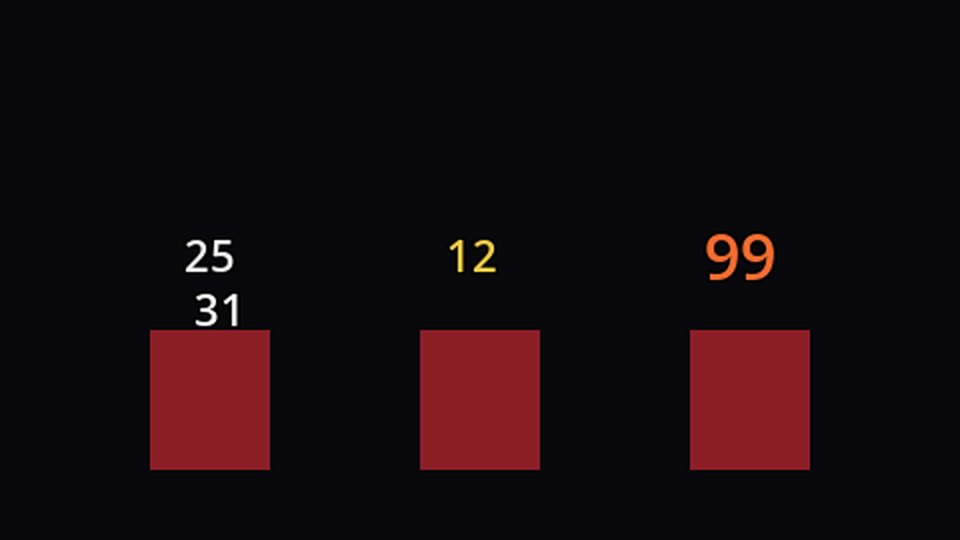
Nodes added later draw on top of earlier ones at the same z_index. We put a red box over a plain Label: none of the label's white pixels were left. Over a number from the script, which sets z_index to 100, we counted 808 white pixels of the digits on top of the box.
What to change
riseandtime: how far and how long the numbers float.font_sizeand the color: set them per hit, for example bigger and orange for a critical hit.- Camera shake on big hits: see the screen shake page.
Tested in Godot 4.7 with the Compatibility renderer.
Ready-made: Card Game Feel Kit for Godot 4 plays cards with swoops, burns and shatters, with damage numbers and screen shake built in.