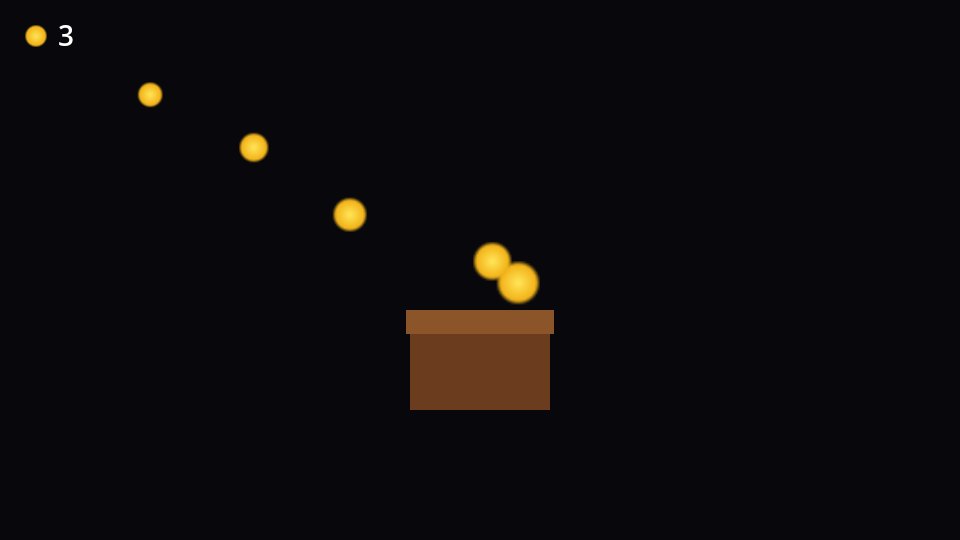
Your HUD is a CanvasLayer, so the camera does not move it. The coin is in the level, where the camera does. Read where the coin is on the screen with get_global_transform_with_canvas(), move the coin into the HUD layer at that spot, then tween it to the icon. Add to the counter when the coin lands.
The code
Put this script on your HUD CanvasLayer and set Counter and Icon in the inspector. When the player touches a coin, call collect(coin) with the coin node.
extends CanvasLayer
## Your HUD layer. Set counter and icon in the inspector.
## When the player picks up a coin, call collect(coin) with the coin node from the level.

@export var counter: Label  # shows the coin count
@export var icon: Control  # the coins fly here
@export var time := 0.5  # seconds in flight

var coins := 0


func collect(coin: Node2D) -> void:
	# Where the coin is on the screen right now, Camera2D position and zoom included
	var on_screen := coin.get_global_transform_with_canvas()
	coin.reparent(self, false)  # into the HUD layer: the camera no longer moves it
	coin.transform = on_screen
	var t := coin.create_tween()
	t.tween_property(coin, "position", icon.get_global_rect().get_center(), time).set_trans(Tween.TRANS_QUAD).set_ease(Tween.EASE_IN)
	t.parallel().tween_property(coin, "scale", coin.scale * 0.5, time)
	t.tween_callback(_arrived.bind(coin))


func _arrived(coin: Node2D) -> void:
	coins += 1  # counted when the coin lands, not when it is picked up
	counter.text = str(coins)
	coin.queue_free()
In our test the Camera2D was at (700, 400) and zoomed 1.5x. When a coin was collected, it did not move on the screen and it kept its size: the script set its scale to 1.5, the same as the zoom. It landed 0 pixels from the center of the icon, and then it was freed.
The coin flies somewhere else
A common first try is to tween the coin's global_position to the icon's position while the coin is still in the level. Those are two different spaces: the icon's position is in screen pixels, the coin's is in the level, and the camera sits between them. With the same camera as above, that coin ended at (-516, -276) on a 960 x 540 screen: off the screen, 634 pixels from the icon.
The camera moves while the coin is flying
Once the coin is in the HUD layer, the camera no longer moves it. We moved the camera 400 pixels right and 250 down during the flight, and the coin still landed 0 pixels from the icon.
The counter goes up too early
Count the coin when it lands, not when it is picked up, so the number changes as the coins reach the icon. We collected 10 coins at once: a quarter of a second later the counter had not changed, and at 0.75 seconds it was 10 higher, with no coins left in the HUD layer.
What to change
time: how long the flight takes.coin.scale * 0.5: the size the coin has when it lands. Match it to your icon.set_trans()andset_ease(): the shape of the flight.- A number on each hit instead of a coin: see floating damage numbers.
Tested in Godot 4.7 with the Compatibility renderer.
Ready-made: 2D Particle Attractors for Godot 4 does this with GPUParticles2D: its Seek mode flies particles from the level into a HUD icon, whatever your Camera2D position or zoom.