Put a GPUParticlesAttractorSphere3D on the player to pull the particles in, and a small GPUParticlesCollisionSphere3D in the same spot with the emitter's collision_mode set to Hide On Contact, so each particle disappears when it arrives. With the attractor alone, the particles fly past the player and keep circling. Give the emitter its own render layer and set the attractor's and the sphere's cull mask to it, or they pull in and hide every other effect near the player too.
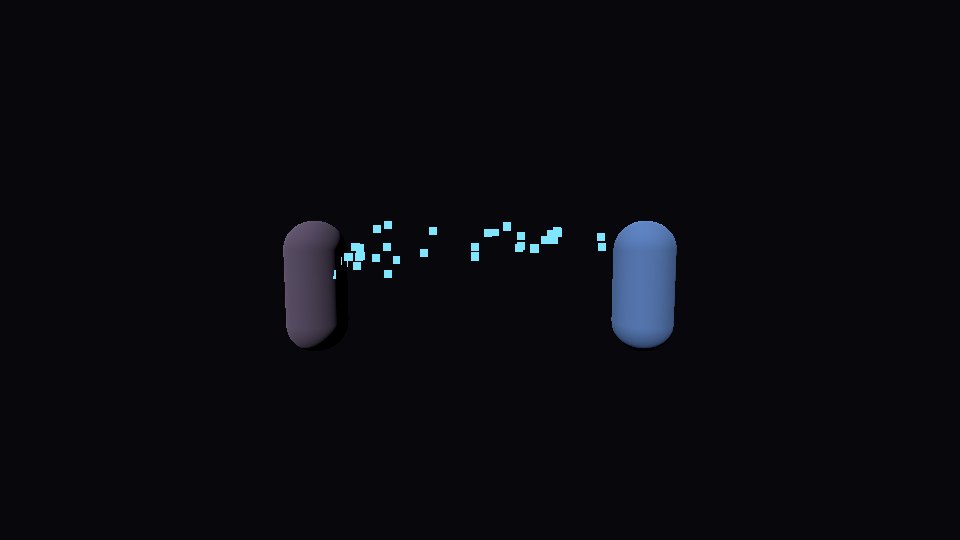
The code
Add a Node3D where the enemy dies, attach this script, set target to a node at the player's chest and call burst(). The attractor and the catch sphere are moved onto the target every physics frame, so the particles follow a player who moves.
extends Node3D
## Particles rise from this node, get pulled into a target and vanish when they reach it.
## For souls, XP orbs or mana flying into the player. Call burst().

@export var target: Node3D
@export var color := Color(0.5, 0.9, 1.0)
@export var pull := 40.0  # attractor strength
@export var pull_radius := 12.0  # meters around the target: particles farther away are not pulled
@export_flags_3d_render var layer := 1 << 19  # only particles on this layer are pulled and caught

var parts: GPUParticles3D
var _pull: GPUParticlesAttractorSphere3D
var _catch: GPUParticlesCollisionSphere3D


func _ready() -> void:
	parts = GPUParticles3D.new()
	parts.amount = 48
	parts.lifetime = 3.0
	parts.one_shot = true
	parts.emitting = false
	parts.explosiveness = 0.8
	parts.local_coords = false
	parts.layers = layer
	parts.visibility_aabb = AABB(Vector3(-20, -20, -20), Vector3(40, 40, 40))
	var m := ParticleProcessMaterial.new()
	m.emission_shape = ParticleProcessMaterial.EMISSION_SHAPE_SPHERE
	m.emission_sphere_radius = 0.4
	m.direction = Vector3.UP
	m.spread = 60.0
	m.initial_velocity_min = 1.5
	m.initial_velocity_max = 3.0
	m.gravity = Vector3.ZERO
	m.damping_min = 10.0  # drag, so they fly in instead of circling the target
	m.damping_max = 10.0
	m.collision_mode = ParticleProcessMaterial.COLLISION_HIDE_ON_CONTACT  # vanish at the catch sphere
	parts.process_material = m
	var mat := StandardMaterial3D.new()
	mat.shading_mode = BaseMaterial3D.SHADING_MODE_UNSHADED
	mat.billboard_mode = BaseMaterial3D.BILLBOARD_PARTICLES
	mat.albedo_color = color
	var q := QuadMesh.new()
	q.size = Vector2(0.1, 0.1)
	q.material = mat
	parts.draw_pass_1 = q
	add_child(parts)
	# The attractor and the catch sphere sit on the target, not on this node.
	_pull = GPUParticlesAttractorSphere3D.new()
	_pull.radius = pull_radius
	_pull.strength = pull
	_pull.attenuation = 0.3  # below 1: still a strong pull far from the target
	_pull.cull_mask = layer
	_pull.top_level = true
	add_child(_pull)
	_catch = GPUParticlesCollisionSphere3D.new()
	_catch.radius = 0.5
	_catch.cull_mask = layer
	_catch.top_level = true
	add_child(_catch)


func burst() -> void:
	parts.restart()


func _physics_process(_delta: float) -> void:
	if target:
		_pull.global_position = target.global_position
		_catch.global_position = target.global_position
Without the catch sphere
We burst 48 particles 6 meters from the target and counted lit points on screen, over two runs. With the attractor alone, 1.2 seconds in, 134 to 142 lit points were more than 60 centimeters past the target: the particles flew through it. 2.4 seconds in, 145 to 150 were still on screen, circling it.
With the catch sphere, 18 to 24 were left at 1.2 seconds, none were ever past the target, and 0 were left at 1.8 seconds.
Drag and attenuation
damping on the process material slows the particles all the time, so the pull wins over the speed they start with and they fly straight in. An attenuation below 1 keeps the pull strong far from the target.
With the catch sphere still on but a strength of 20, a damping of 2 and the default attenuation of 1, the particles went too fast and too wide to hit it: 2.4 seconds in, 114 to 130 lit points were still on screen, 112 to 119 of them past the target.
A moving player
We moved the target up and down by 1 meter while the particles flew. 2.4 seconds after the burst, 0 lit points were left: they all reached the target and vanished.
Keep it off other effects
Attractors and collision nodes act on every emitter on the layers in their cull_mask, which is all layers by default. We put a second emitter next to the target, with its own collision turned on. With the script's layer, it kept 103 to 110 lit points near the target. With layer set to every layer, the catch sphere and the pull took it too: 15 to 17 were left.
The emitter's layers is the same value, and the camera draws all layers by default, so you still see it.
What to change
pull: how hard they are pulled. Change it together with the damping in_ready().pull_radius: particles farther than this from the target are not pulled at all.color,amountandlifetime: green for XP, blue for mana, more particles for a boss.- The catch sphere's
radius: bigger if your particles are big or fast.
Something that flies to a target and hits it: a homing missile with a turn rate. The 2D version for a HUD: coins that fly to the HUD counter.
Tested in Godot 4.7 with the Compatibility renderer.
Ready-made: 2D Particle Attractors for Godot 4 does this for 2D particles, which have no attractor nodes in Godot: 12 presets including Soul Drain, Mana Absorb, XP Orbs, Coin Burst and Black Hole.